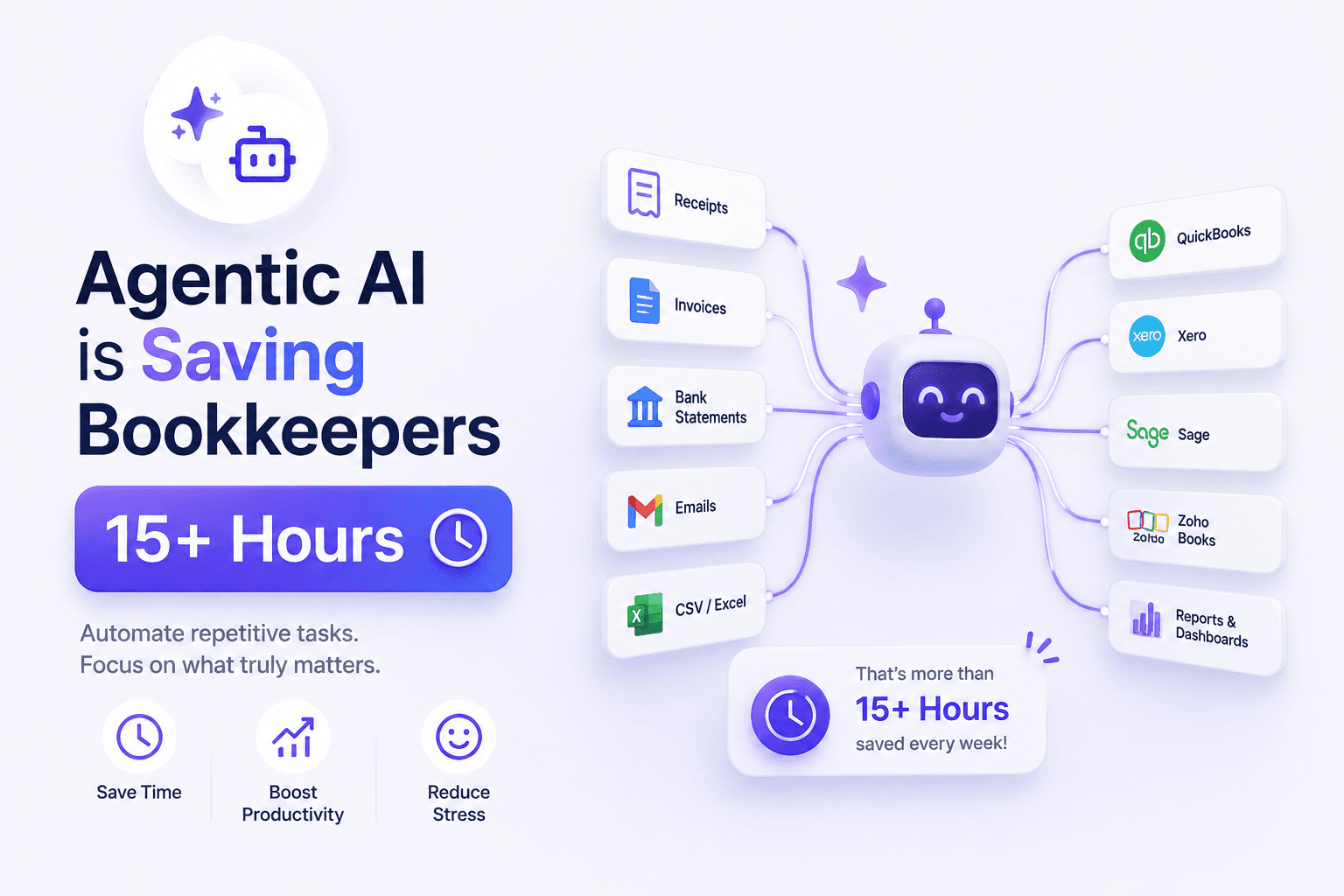
Every organisation generates and receives documents at scale—supplier invoices, customer receipts, bank statements, contracts, purchase orders, and tax forms. For decades, teams relied on manual data entry, basic scanning, and standalone OCR tools to convert paper and PDFs into usable information. That approach worked when document volumes were manageable. In 2026, it no longer scales.
Intelligent document processing (IDP) has emerged as the modern standard for turning unstructured and semi-structured documents into structured, actionable data. IDP combines optical character recognition, machine learning, natural language processing, and workflow automation into a single capability that understands document context—not just text on a page.
Finance teams, accountants, operations managers, and IT leaders are actively evaluating IDP software because manual processing creates bottlenecks, compliance risk, and hidden labour costs. Search interest in terms like "intelligent document processing," "document AI," and "document extraction" continues to rise as businesses seek touchless workflows that integrate directly with accounting platforms, ERPs, and approval systems.
This guide explains what IDP is, how it differs from traditional OCR, where document AI agents fit in, and how organisations implement IDP for invoices, receipts, and bank statements—including how BillsDeck delivers IDP as a practical workflow rather than a standalone extraction tool.
Key Takeaways
- Intelligent document processing (IDP) goes beyond OCR by understanding document layout, context, and business rules—not just reading characters.
- Document AI agents can classify documents, extract fields, validate data, route exceptions, and post results to downstream systems.
- Touchless processing handles high-confidence documents end-to-end; human-in-the-loop (HITL) review catches edge cases without slowing the entire pipeline.
- Common IDP use cases include invoice OCR, receipt capture, bank statement reconciliation, and contract data extraction.
- IDP delivers measurable ROI through faster cycle times, fewer errors, improved audit trails, and reduced dependency on manual keying.
- Implementation success depends on document quality, integration design, exception handling, and change management—not just software selection.
Table of Contents
- What Is Intelligent Document Processing?
- How IDP Differs from Traditional OCR
- Core Components of an IDP Platform
- Document AI Agents Explained
- Touchless Processing vs Human-in-the-Loop
- IDP Use Cases: Invoices, Receipts, and Bank Statements
- How BillsDeck Implements Intelligent Document Processing
- IDP vs Manual Document Processing
- How to Implement IDP in Your Organisation
- Choosing IDP Software in 2026
- Frequently Asked Questions
- Final Thoughts
What Is Intelligent Document Processing?
Intelligent document processing (IDP) is a technology category that uses artificial intelligence to capture, classify, extract, validate, and route information from business documents. Unlike simple scanning or basic OCR, IDP treats documents as structured business objects with fields, relationships, and workflow implications.
At a high level, an IDP system performs four core functions:
- Ingestion — Accept documents from email inboxes, uploads, mobile capture, SFTP, API integrations, or shared drives.
- Understanding — Identify document type (invoice, receipt, statement, PO), locate relevant fields, and interpret tables, line items, and totals.
- Validation — Apply business rules, cross-reference master data, flag duplicates, and score confidence levels.
- Action — Route data to accounting software, ERP, approval workflows, or storage with full audit history.
IDP is often grouped under the broader document AI umbrella because modern platforms apply large language models, computer vision, and domain-specific training to handle document variability. A supplier invoice from Germany, a handwritten receipt from a field technician, and a multi-page bank statement from a regional bank may all require different extraction strategies. IDP software adapts rather than forcing every document through a rigid template.
For finance and accounting teams, IDP is the bridge between document chaos and clean ledger data. Instead of asking staff to re-type vendor names, invoice numbers, tax amounts, and payment terms, IDP extracts those fields automatically and presents them for review or straight-through processing.
How IDP Differs from Traditional OCR
OCR and IDP are related but not interchangeable. Understanding the difference helps teams set realistic expectations and choose the right tooling.
Traditional OCR: Character Recognition Only
Optical character recognition (OCR) converts images of text into machine-readable characters. Classic OCR answers one question: What characters appear on this page?
Traditional OCR struggles with:
- Multi-column layouts and nested tables
- Handwriting and low-quality scans
- Documents without fixed templates
- Context-dependent fields (e.g., distinguishing subtotal from total)
- Business validation (duplicate detection, PO matching)
OCR is a necessary input layer for IDP, but on its own it produces unstructured text blobs. Someone still has to interpret that text, map it to fields, and enter it into systems.
IDP: Context, Structure, and Workflow
Intelligent document processing adds layers on top of OCR:
| Capability | Traditional OCR | Intelligent Document Processing |
|---|---|---|
| Output | Raw text | Structured JSON or database records |
| Document classification | Manual or rule-based | AI-driven auto-classification |
| Field extraction | Template-dependent | Layout-aware, learning-based |
| Validation | None | Business rules, cross-document checks |
| Workflow | External | Built-in routing, approvals, exceptions |
| Integration | Limited | API, webhooks, ERP/accounting connectors |
| Continuous improvement | Static | Learns from corrections and feedback |
In practice, a team using standalone OCR for invoice processing might achieve 70–80% character accuracy on clean PDFs but still spend hours correcting field mapping errors. An IDP platform targeting the same invoices might deliver structured line items, tax breakdowns, and vendor matching with confidence scores—reducing manual touch to exceptions only.
Modern AI PDF parser tools sit between raw OCR and full IDP. They extract structured content from PDFs using AI but may not include enterprise workflow, approval routing, or ERP posting. Full IDP platforms combine parsing with operational automation.
Core Components of an IDP Platform
Enterprise-grade IDP software typically includes the following modules. Understanding each component helps when evaluating vendors and designing implementation projects.
Document Ingestion and Capture
IDP begins at the point of receipt. Documents arrive through:
- Dedicated AP email addresses (e.g., ap@company.com)
- Supplier portals and EDI fallbacks
- Mobile apps for receipt and expense capture
- Bulk upload interfaces for scanned batches
- API endpoints for system-to-system transfer
Capture quality directly affects extraction accuracy. Best practices include encouraging suppliers to send searchable PDFs, scanning at 300 DPI minimum, and rejecting unreadable images at ingestion rather than downstream.
Classification and Document Splitting
Before extraction, the system must know what it is processing. Classification models distinguish invoices from credit notes, receipts from statements, and contracts from packing slips. For bundled uploads—a single PDF containing ten invoices—document splitting separates pages into individual records.
Misclassification is expensive. Sending a bank statement through an invoice extraction model produces garbage data and erodes user trust. Robust IDP platforms maintain separate models or prompts per document class.
AI-Powered Extraction
Extraction is the heart of IDP. Modern systems combine:
- Layout analysis — Detect headers, tables, footers, and stamps
- Named entity recognition — Identify dates, amounts, addresses, tax IDs
- Table parsing — Reconstruct line items with quantity, unit price, and extensions
- LLM-assisted reasoning — Handle ambiguous labels ("Amount Due" vs "Balance Forward")
Tools like invoice-to-JSON converters demonstrate extraction in isolation—turning a single invoice PDF into structured JSON. Full IDP extends that capability across document types, volumes, and integrated workflows.
Validation and Enrichment
Extracted data is rarely trusted blindly. Validation layers include:
- Format checks (valid dates, numeric amounts, currency codes)
- Duplicate detection (same invoice number + vendor + amount)
- Master data matching (vendor name → vendor ID in ERP)
- Cross-document validation (invoice total matches PO + goods receipt)
- Tax and compliance rules (VAT rate consistency, required fields)
Enrichment adds context: attaching GL codes, cost centres, project codes, or payment terms from vendor records.
Workflow and Exception Management
Not every document achieves straight-through processing. IDP platforms route low-confidence extractions to human reviewers, escalate approval thresholds, and queue documents missing mandatory fields. Exception dashboards show why a document failed and what action is required.
Integration and Output
IDP value is realised when data reaches operational systems. Outputs include:
- JSON/XML via API
- CSV exports for analysis
- Direct posting to Xero, QuickBooks, Sage, NetSuite, SAP, or Microsoft Dynamics
- Webhook notifications for custom workflows
Audit logs record original documents, extracted values, corrections, approvers, and timestamps—essential for SOX, tax audits, and internal controls.
Document AI Agents Explained
The term document AI agent describes an autonomous or semi-autonomous software component that performs multi-step document tasks without constant human direction. Rather than a single extraction call, an agent orchestrates a sequence of decisions.
A document AI agent handling supplier invoices might:
- Monitor an AP inbox for new attachments
- Classify each attachment and reject non-invoice files
- Extract header and line-item data
- Match the invoice against open purchase orders
- Flag price or quantity variances above tolerance
- Route to the correct approver based on amount and department
- Post approved invoices to the ERP on a schedule
- Archive the source PDF with a link to the ERP record
Agents differ from static automation scripts because they incorporate reasoning and adaptation. When a new supplier sends an invoice with an unusual layout, an agent may apply a generalised extraction model, request human confirmation, and store the correction for future invoices from that supplier.
In 2026, document AI agents increasingly leverage large language models for:
- Interpreting free-text payment instructions
- Summarising contract clauses
- Answering natural-language queries over document archives ("Show all invoices from Vendor X over £10,000 in Q1")
- Generating exception explanations for reviewers
However, agents are not magic. They require guardrails—confidence thresholds, approval limits, segregation of duties, and logging—to prevent incorrect postings. The most effective deployments combine agent autonomy for routine cases with human oversight for high-risk transactions.
Touchless Processing vs Human-in-the-Loop
IDP implementations aim for touchless processing: documents flow from ingestion to posting without manual data entry. Touchless rates of 80–95% are achievable for mature AP operations with clean supplier PDFs and strong master data. The remaining 5–20% typically involves exceptions that genuinely require human judgment.
When Touchless Processing Works
Touchless IDP succeeds when:
- Suppliers send consistent, machine-readable PDFs or e-invoices
- Vendor master data is accurate and up to date
- Business rules are clearly defined (approval thresholds, coding defaults)
- Historical corrections have trained extraction models
- Integrations are stable and monitored
When Human-in-the-Loop Is Essential
Human-in-the-loop (HITL) review remains critical for:
- Handwritten or poor-quality scans
- First-time suppliers with unknown layouts
- Complex multi-page documents with attachments
- High-value transactions exceeding auto-approval limits
- Regulatory scenarios requiring explicit sign-off
- Disputed or credit-related documents
Effective HITL design minimises friction. Reviewers should see the original document alongside extracted fields, with low-confidence fields highlighted. One-click approve/reject actions, keyboard shortcuts, and bulk review queues keep exception handling fast.
The goal is not zero human involvement—it is zero unnecessary human involvement. Finance teams should measure touchless rate, exception resolution time, and correction frequency to tune thresholds over time.
IDP Use Cases: Invoices, Receipts, and Bank Statements
IDP delivers value across document types. Three of the highest-impact use cases for finance teams are invoice processing, receipt management, and bank statement reconciliation.
Invoice Processing
Accounts payable is the flagship IDP use case. Organisations receive hundreds or thousands of supplier invoices monthly via email, portal, and mail. Manual AP clerks open each PDF, type vendor, date, invoice number, line items, tax, and total into the ERP, and route for approval.
IDP automates this pipeline:
- Capture — Invoices arrive in a central inbox or upload queue
- Extract — AI pulls structured fields and line items; explore dedicated invoice OCR capabilities for deep extraction
- Match — Two-way or three-way matching against POs and receipts
- Approve — Workflow routes based on rules
- Post — Approved invoices create ERP payables records
Benefits include faster month-end close, fewer duplicate payments, improved early-payment discount capture, and reduced AP headcount pressure.
Receipt Capture and Expense Processing
Employee receipts—for travel, meals, supplies—are notoriously messy. Photos taken at odd angles, faded thermal paper, and missing VAT details make manual expense processing slow and audit-prone.
IDP for receipts:
- Accepts mobile photos, email forwards, and PDF uploads
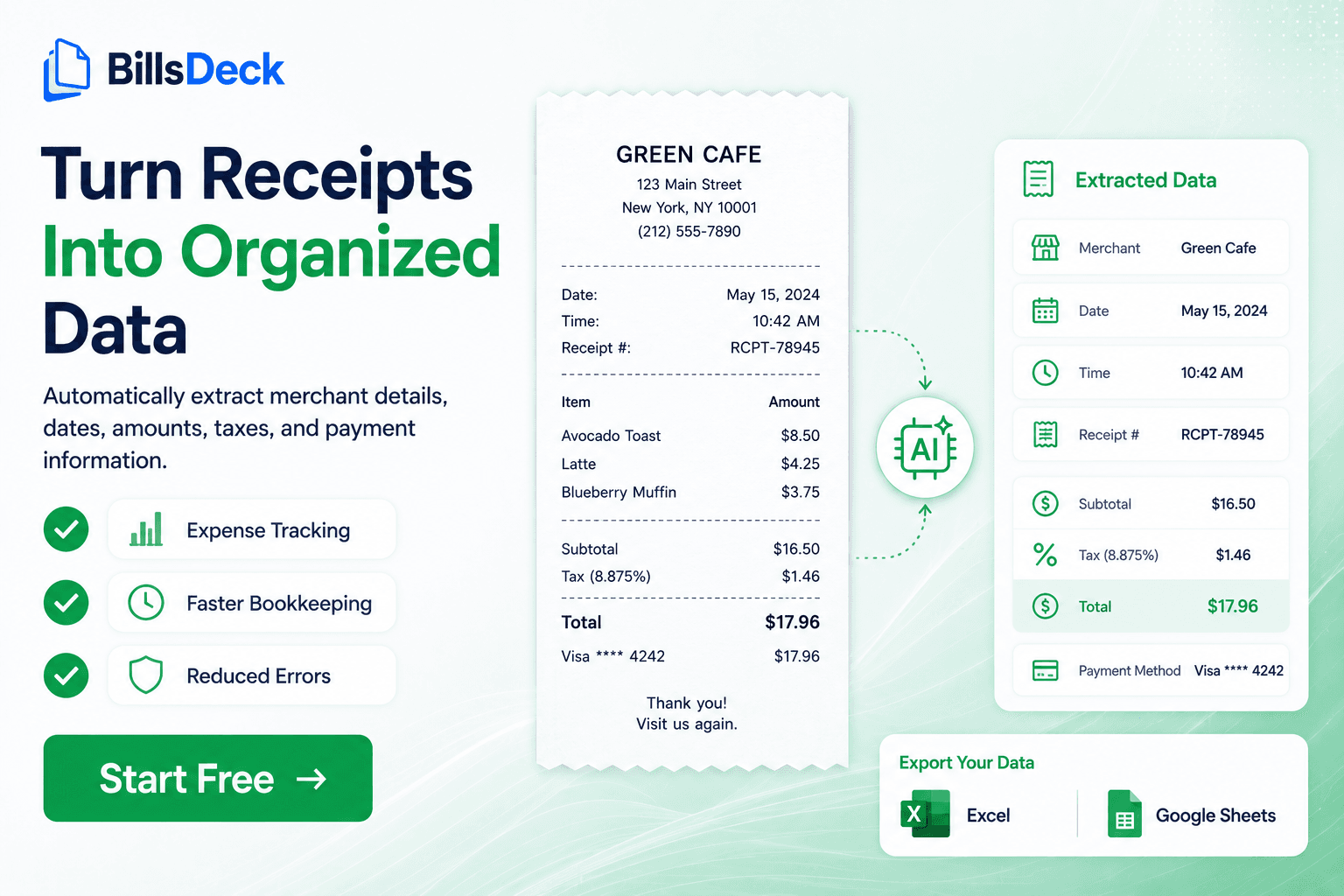
- Extracts merchant, date, amount, tax, and payment method
- Suggests expense categories using AI
- Matches receipts to card transactions
- Syncs with accounting platforms for reimbursement and tax reporting
Receipt IDP is especially valuable for accounting firms managing client expenses at scale and for businesses subject to digital tax record-keeping requirements.
Bank Statement Processing
Bank statement IDP converts PDF or CSV statements into structured transaction data for reconciliation. Rather than manually comparing statement lines to ledger entries, teams ingest statements automatically, categorise transactions, and flag unmatched items.
Bank statement IDP typically extracts:
- Opening and closing balances
- Transaction dates and descriptions
- Debit and credit amounts
- Reference numbers and counterparty hints
Combined with invoice and receipt data, statement processing closes the loop on cash visibility and accelerates month-end reconciliation.
Additional IDP Use Cases
Beyond the finance core, organisations apply IDP to:
- Purchase orders and goods received notes
- Bills of lading and shipping documents
- Tax forms (W-9, VAT certificates)
- Insurance claims and medical records (regulated industries)
- HR documents (contracts, IDs—with privacy controls)
- Legal contract metadata extraction
The same IDP platform often handles multiple document classes, reducing tool sprawl and integration overhead.
How BillsDeck Implements Intelligent Document Processing
BillsDeck delivers intelligent document processing as an operational workflow for accountants, bookkeepers, and finance teams—not as a developer-only API. The platform addresses the full IDP lifecycle for receipts, invoices, statements, and related financial documents.
Unified Document Inbox
BillsDeck provides a central inbox where documents arrive via upload, email forwarding, or integrations. AI classifies incoming files automatically, routing invoices, receipts, and statements to appropriate extraction pipelines. Users no longer sort attachments manually before processing.
AI Extraction with Accounting Context
Extraction models are tuned for accounting-relevant fields: supplier names, invoice numbers, dates, line items, VAT/GST, totals, currencies, and payment terms. BillsDeck's AI PDF parser capabilities handle varied layouts without brittle template maintenance.
For teams needing structured output for custom integrations, the invoice-to-JSON tool demonstrates BillsDeck's extraction format—vendor, dates, amounts, and line-level detail ready for downstream systems.
Human-in-the-Loop Review
When confidence scores fall below thresholds, documents appear in a review queue with side-by-side source and extracted data. Users correct fields once; the system learns from corrections to improve future accuracy for similar suppliers and layouts.
Accounting Integrations
IDP value is realised at posting time. BillsDeck integrates with Xero, QuickBooks, Sage, and other platforms—pushing categorised transactions, matched receipts, and approved invoices without re-keying. This closes the gap between document extraction and ledger reality.
Bank Statement and Reconciliation Workflows
BillsDeck's bank statement processing ingests statement PDFs, extracts transactions, and supports reconciliation against imported bank feeds and coded expenses—reducing manual statement entry for clients and internal finance teams.
Built for Accounting Firms and SMBs
Unlike enterprise IDP suites requiring six-month implementations, BillsDeck is designed for teams that need production-grade accuracy without dedicated IT projects. Firms processing client documents at volume benefit from bulk upload, client workspaces, and repeatable workflows.
Evaluating alternatives? See how BillsDeck compares to other document AI vendors in our Docsumo alternative comparison—covering accuracy, pricing, integrations, and accounting-specific features.
Ready to move from manual document handling to intelligent processing? Start with BillsDeck and upload your first documents in minutes.
IDP vs Manual Document Processing
Understanding the gap between manual and intelligent processing clarifies ROI and builds the business case for investment.
Manual Processing: Hidden Costs
Manual document handling appears cheap because labour is already on payroll. Hidden costs include:
- Data entry time — 5–15 minutes per invoice or complex receipt
- Error rates — Manual keying error rates of 1–4% drive mispostings, rework, and vendor disputes
- Delayed approvals — Documents sit in inboxes waiting for typing before review even begins
- Lost documents — Email threads and paper folders lack central audit trails
- Scaling limits — Volume spikes (year-end, tax season) require overtime or backlog
- Staff turnover risk — Tribal knowledge walks out the door
A team processing 500 invoices monthly at 10 minutes each spends roughly 83 hours on data entry alone—nearly half a full-time equivalent.
IDP Processing: Measurable Gains
Organisations that implement IDP typically report:
| Metric | Manual Baseline | IDP Target |
|---|---|---|
| Data entry time per document | 5–15 min | 0–2 min (exceptions only) |
| Touchless processing rate | 0% | 80–95% |
| Error rate | 1–4% | less than 0.5% with validation |
| Invoice cycle time | 15–30 days | 5–10 days |
| Cost per invoice | £8–£15 | £1–£3 |
| Audit readiness | Fragmented | Centralised logs + source docs |
These figures vary by industry, document quality, and process maturity—but directionally, IDP compresses cost and cycle time while improving control.
When Manual Still Appears
Some organisations delay IDP due to:
- Very low document volume (50/month)
- Extreme customisation requirements without integration budget
- Regulatory constraints mandating specific legacy systems
- Change resistance without executive sponsorship
Even in these cases, hybrid approaches—IDP for high-volume document types, manual for edge cases—often outperform all-or-nothing manual processing.
How to Implement IDP in Your Organisation
Successful IDP rollout follows a structured path. Skipping steps—especially discovery and exception design—causes projects to stall after pilot.
Step 1: Document Discovery and Volume Analysis
Inventory document types, sources, volumes, and current processing steps. Sample 50–100 documents per type to assess quality: searchable PDF vs scan, language, layout consistency, handwriting prevalence.
Questions to answer:
- How many invoices, receipts, and statements per month?
- What percentage arrive as email attachments vs portal vs paper?
- Which document types cause the most errors today?
- What systems must receive extracted data?
Step 2: Define Success Metrics
Establish baseline metrics before automation:
- Average processing time per document
- Touchless rate (if any automation exists today)
- Exception rate and top exception reasons
- Cost per document (fully loaded labour)
- Duplicate payment incidents
- Month-end close duration
Set 90-day targets—for example, 70% touchless invoice processing and 50% reduction in data entry hours.
Step 3: Select IDP Software
Evaluate platforms against:
- Document types supported out of the box
- Extraction accuracy on your sample documents
- Workflow, approval, and exception capabilities
- Integrations with your accounting/ERP stack
- Security, residency, and compliance certifications
- Pricing model (per document, per user, platform fee)
- Time to value and support quality
Run a proof-of-concept with real documents—not vendor demo samples. Compare options using resources like the Docsumo alternative guide for accounting-focused evaluations.
Step 4: Design Workflow and Exception Rules
Map the target-state process:
- Ingestion channels (email, upload, API)
- Classification rules
- Auto-approval thresholds by amount and vendor
- Required fields before posting
- Exception queues and SLAs for human review
- ERP posting schedule and error handling
Document who owns each exception type—AP, procurement, requestor, IT.
Step 5: Integrate and Test
Connect IDP to accounting software, ERP, and identity systems. Test with a parallel run: process documents in both old and new workflows, compare outputs, reconcile discrepancies before cutover.
Validate:
- Field mapping accuracy
- Duplicate detection
- Approval routing
- Posting idempotency (no double posts on retry)
- Audit log completeness
Step 6: Pilot, Train, and Expand
Start with one document type or business unit. Train reviewers on exception handling—not just software clicks, but business rules. Collect feedback weekly and tune confidence thresholds.
Expand to additional document types and entities once touchless rate stabilises above target for 4–6 weeks.
Step 7: Monitor and Optimise Continuously
IDP is not set-and-forget. Monitor dashboards for:
- Touchless rate trends
- Top exception reasons
- Supplier-level accuracy
- Integration failures
- User correction patterns
Quarterly reviews with AP, accounting, and IT keep the system aligned with business changes—new entities, new ERP modules, new compliance requirements.
Choosing IDP Software in 2026
The IDP market includes enterprise platforms (Hyperscience, ABBYY, UiPath Document Understanding), horizontal document AI APIs (Google Document AI, AWS Textract, Azure AI Document Intelligence), and accounting-focused solutions like BillsDeck.
Selection criteria for finance-led teams:
- Accounting-native workflows — Prefer tools that understand invoices, receipts, and statements—not generic "document" platforms requiring heavy customisation.
- Integration depth — Native connectors to Xero, QuickBooks, Sage, and your ERP beat CSV export chains.
- Accuracy on your documents — Benchmark with your samples; marketing claims are not comparable across vendors.
- Exception UX — Reviewers live in the exception queue; poor UX kills adoption.
- Total cost of ownership — Include implementation, integration, per-document fees, and training—not just licence price.
- Vendor stability and roadmap — Document AI evolves quickly; choose vendors investing in model updates and accounting partnerships.
For invoice-heavy operations, start with invoice OCR evaluation. For mixed document types, prioritise platforms with unified inboxes and multi-class extraction like BillsDeck.
Frequently Asked Questions
What is intelligent document processing in simple terms?
Intelligent document processing (IDP) uses AI to read business documents, extract important fields (like invoice numbers and amounts), check the data against business rules, and send results to accounting or ERP systems—without manual typing.
Is IDP the same as OCR?
No. OCR converts images to text. IDP uses OCR plus AI to understand document type, extract structured fields, validate data, and automate workflows. OCR is one component of IDP, not the whole solution.
What documents can IDP process?
Common types include invoices, receipts, bank statements, purchase orders, contracts, tax forms, and shipping documents. Modern IDP platforms classify documents automatically and apply the right extraction model per type.
What is touchless document processing?
Touchless processing means documents flow from receipt to posting without human data entry. Humans may still approve high-value items or resolve exceptions, but routine documents process automatically.
What is human-in-the-loop in IDP?
Human-in-the-loop (HITL) means reviewers validate or correct low-confidence extractions before posting. HITL ensures accuracy while allowing high straight-through rates for clear documents.
How accurate is IDP compared to manual entry?
Leading IDP platforms achieve 95–99%+ field-level accuracy on clean PDFs—often exceeding manual entry error rates. Poor scans and handwriting remain challenging and typically require human review.
How long does IDP implementation take?
Simple cloud IDP for invoices and receipts can go live in days to weeks. Enterprise ERP-integrated rollouts may take 3–6 months depending on customisation, data migration, and change management.
Is IDP secure for financial documents?
Reputable IDP vendors encrypt data in transit and at rest, offer role-based access, maintain audit logs, and comply with standards such as SOC 2 and GDPR. Verify residency requirements if processing EU or regulated data.
Can small businesses use IDP?
Yes. Cloud IDP platforms like BillsDeck serve SMBs and accounting firms without large IT teams. Per-document or subscription pricing makes IDP accessible below enterprise budget thresholds.
How does BillsDeck differ from generic IDP tools?
BillsDeck focuses on accounting workflows—receipts, invoices, bank statements—with native integrations to Xero, QuickBooks, and Sage, plus an inbox designed for firms and finance teams rather than developers building custom pipelines.
Final Thoughts
Intelligent document processing has moved from emerging technology to operational necessity. Teams still relying on manual data entry face rising document volumes, tighter compliance deadlines, and pressure to close books faster with leaner staff. IDP addresses those pressures by combining OCR, document AI, validation, and workflow into a coherent system that treats documents as data—not paperwork.
The distinction matters: OCR reads characters; IDP understands documents. Document AI agents orchestrate multi-step tasks; touchless processing eliminates routine keying; human-in-the-loop design preserves control for exceptions. Use cases span invoice OCR, receipt capture, bank statement reconciliation, and beyond.
Implementation success depends on choosing software matched to your document types and accounting stack, designing exception workflows before go-live, and measuring touchless rate and cycle time relentlessly. Platforms like BillsDeck lower the barrier by packaging IDP as a ready-to-use finance workflow with AI PDF parsing, structured invoice-to-JSON output, and direct accounting integrations.
If your organisation is still opening PDFs and typing vendor names into spreadsheets, 2026 is the year to evaluate IDP seriously. Start with a document inventory, run a pilot on your messiest invoice sample, and compare results to manual baselines. The gap is usually larger than teams expect—and the path to touchless processing is clearer than it has ever been.
Get started with BillsDeck and put intelligent document processing to work on your next batch of invoices, receipts, and statements.