Businesses process more documents today than ever before.
Invoices arrive through email. Receipts are uploaded from mobile devices. Purchase orders are generated from procurement systems. Vendor statements arrive as PDFs. Contracts, forms, bank statements, and financial records flow through multiple departments every day. While digital transformation has improved many business operations, document processing remains one of the largest administrative burdens for finance teams.
Employees still spend countless hours:
- Opening PDFs
- Reviewing invoices
- Entering data manually
- Matching purchase orders
- Approving supplier bills
- Updating accounting systems
The result is slow processing, costly errors, delayed payments, and inefficient workflows.
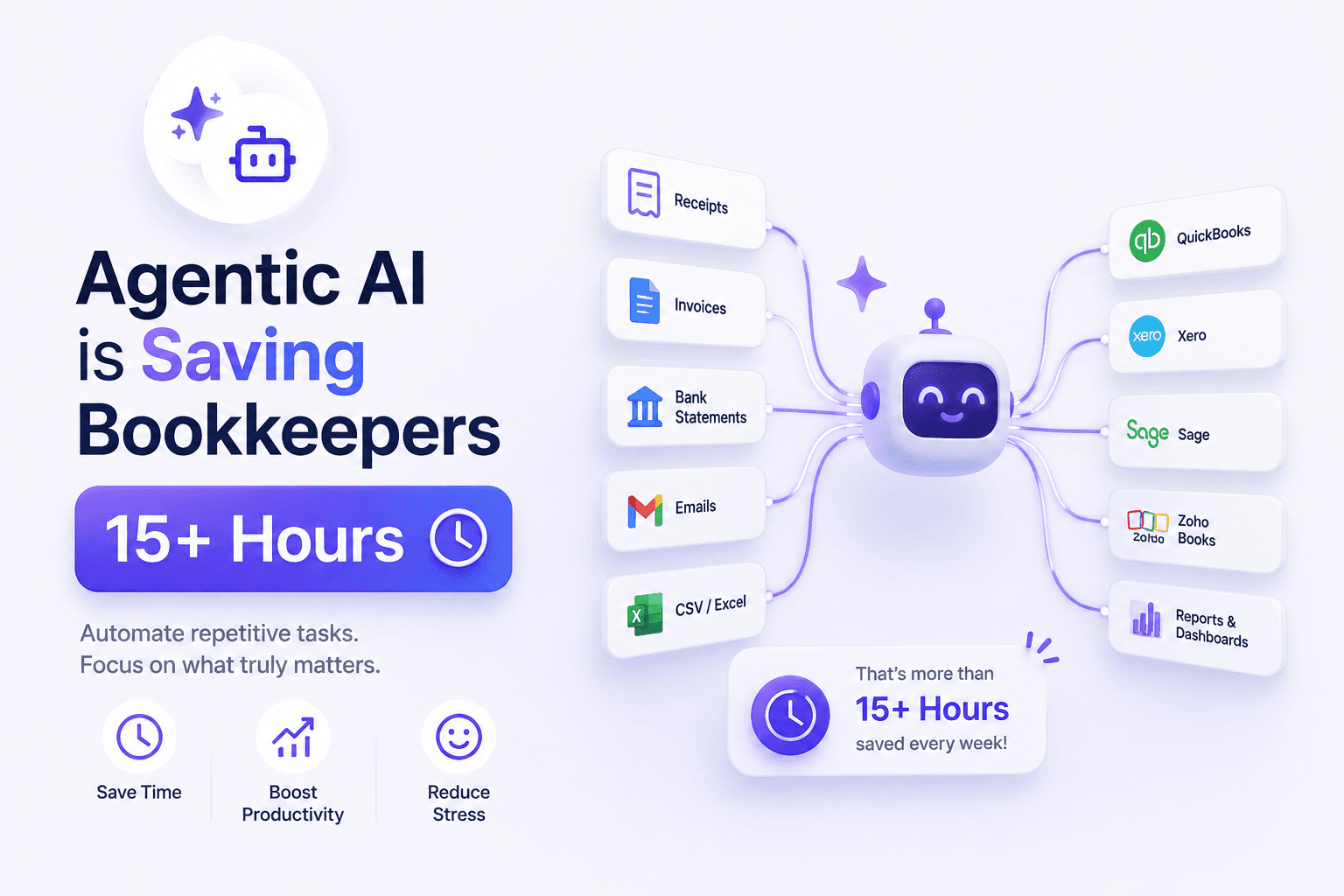
This is where OCR software and accounts payable automation come in. Modern OCR platforms can automatically read documents, extract key information, validate data, and send structured information directly into accounting systems such as QuickBooks, Xero, Sage, NetSuite, Microsoft Dynamics, and SAP.
In this guide, we'll explore the best OCR software solutions available today, how they support accounts payable automation, key features to evaluate, and how businesses can streamline invoice processing from collection to payment.
Table of Contents
- What Is OCR Software?
- Why Businesses Need OCR for Accounts Payable
- How OCR Technology Works
- OCR vs Manual Data Entry
- Benefits of OCR Software
- What Is Accounts Payable Automation?
- How OCR Supports AP Automation
- Key Features to Look For
- 10 Best OCR Software Solutions
- OCR Software Comparison Table
- Choosing the Right OCR Solution
- How BillsDeck Simplifies OCR and AP Automation
- Future of OCR and Intelligent Document Processing
- Frequently Asked Questions
- Final Thoughts
What Is OCR Software?
OCR stands for Optical Character Recognition.
OCR software converts printed or handwritten text from documents, images, and PDFs into machine-readable data.
Without OCR, accounting teams must manually read invoices and enter information into financial systems.
With OCR, software automatically identifies:
- Vendor names
- Invoice numbers
- Invoice dates
- Due dates
- Tax values
- Payment terms
- Purchase order numbers
- Total amounts
- Line items
This information can then be processed automatically.
Modern OCR software goes far beyond simple text recognition by incorporating machine learning and intelligent document processing capabilities.
Why Businesses Need OCR for Accounts Payable
Accounts payable teams often process hundreds or thousands of invoices every month.
A traditional workflow typically includes:
- Receive invoice
- Open PDF
- Review information
- Enter data manually
- Validate invoice
- Route for approval
- Process payment
- Archive documents
Each step requires employee involvement.
The challenges include:
Slow Processing
Invoice approval cycles often take days or weeks.
Data Entry Errors
Human mistakes create payment issues and reconciliation problems.
Duplicate Payments
Duplicate invoices can easily slip through manual processes.
Lost Documents
Invoices scattered across email inboxes and shared folders become difficult to track.
Rising Costs
As invoice volumes increase, staffing requirements grow.
OCR software helps eliminate these bottlenecks.
How OCR Technology Works
Modern OCR solutions follow a multi-step workflow.
Step 1: Document Capture
Documents enter the system through:
- Upload portals
- Mobile apps
- Scanners
- APIs
- Cloud storage
Step 2: Image Enhancement
The software improves image quality by:
- Removing noise
- Correcting skew
- Adjusting contrast
- Improving readability
Step 3: Text Recognition
OCR engines identify characters and convert them into text.
Step 4: Field Extraction
The software identifies important fields such as:
- Invoice number
- Vendor
- Tax amount
- Total value
Step 5: Validation
Business rules verify extracted information.
Step 6: Workflow Automation
Validated data moves into accounting workflows.
OCR vs Manual Data Entry
| Feature | Manual Entry | OCR Software |
|---|---|---|
| Speed | Slow | Fast |
| Accuracy | Human dependent | High |
| Scalability | Limited | Excellent |
| Cost | High labor costs | Lower processing costs |
| Approval Workflow | Manual | Automated |
| Reporting | Limited | Real-time visibility |
| Document Search | Difficult | Instant |
Organizations that process high document volumes quickly realize the limitations of manual entry.
Benefits of OCR Software
Faster Invoice Processing
OCR reduces processing times from minutes to seconds.
Improved Accuracy
Automated extraction minimizes typing errors.
Reduced Costs
Finance teams spend less time on repetitive tasks.
Better Compliance
Audit trails improve recordkeeping and governance.
Enhanced Visibility
Teams gain real-time insight into document status.
Improved Vendor Relationships
Faster invoice approvals lead to timely payments.
What Is Accounts Payable Automation?
Accounts payable automation refers to technology that streamlines invoice processing, approval workflows, payment scheduling, and financial record management.
Instead of relying on spreadsheets, emails, and manual reviews, AP automation systems create a centralized workflow.
Core components include:
- Invoice capture
- OCR extraction
- Validation
- Approval routing
- ERP integration
- Payment processing
- Audit reporting
The objective is simple:
Reduce manual work while increasing efficiency and accuracy.
How OCR Supports AP Automation
OCR acts as the foundation of modern AP automation.
Without OCR, invoice data remains trapped inside documents.
OCR enables:
Invoice Data Extraction
Automatically capture key invoice fields.
Vendor Recognition
Identify suppliers automatically.
Purchase Order Matching
Compare invoices against approved POs.
Duplicate Invoice Detection
Prevent duplicate payments.
Approval Routing
Send invoices to the appropriate approvers.
Accounting Integration
Sync data directly with accounting software.
Key Features to Look For
Not all OCR solutions offer the same capabilities.
When evaluating software, look for:
Invoice OCR
Specialized extraction for invoices.
Receipt OCR
Expense and receipt processing support.
Line Item Extraction
Capture invoice details beyond totals.
Multi-Language Support
Useful for international suppliers.
Purchase Order Matching
Critical for AP teams.
Accounting Integrations
Support for:
- QuickBooks
- Xero
- Sage
- NetSuite
- SAP
- Microsoft Dynamics
Approval Workflows
Built-in invoice routing.
API Access
For custom integrations.
10 Best OCR Software Solutions
1. BillsDeck
BillsDeck combines OCR, document collection, invoice extraction, and workflow automation into a single platform.
Unlike many OCR tools that focus only on data extraction, BillsDeck automates the complete document lifecycle.
Features
- Invoice OCR
- Receipt OCR
- Purchase order extraction
- Vendor document collection
- Gmail integration
- Google Drive integration
- QuickBooks integration
- Xero integration
- Google Sheets synchronization
- Workflow automation
For businesses processing receipts and invoices directly into QuickBooks, the BillsDeck Receipt Scanner for QuickBooks provides an automated workflow for capturing and extracting financial data.
Best For
- Accounting firms
- Bookkeepers
- AP teams
- SMB finance departments
2. Klippa DocHorizon
Klippa offers OCR and intelligent document processing capabilities for invoices, receipts, contracts, and identity documents.
Strengths
- Strong OCR accuracy
- Global language support
- Mobile scanning
Best For
Organizations requiring international document processing.
3. ABBYY FlexiCapture
One of the most established OCR platforms.
Strengths
- Enterprise scalability
- Advanced extraction
- Strong workflow capabilities
Best For
Large enterprises.
4. Rossum
AI-powered invoice processing platform.
Strengths
- Self-learning extraction
- AP-focused workflows
- ERP integrations
Best For
High-volume invoice processing.
5. Nanonets
Flexible AI document processing solution.
Strengths
- Custom extraction models
- API-first approach
- Workflow automation
6. Dext
Popular among accountants and bookkeeping firms.
Strengths
- Receipt processing
- Invoice capture
- Accounting integrations
7. AutoEntry
Credit-based OCR platform for accountants.
Strengths
- Affordable entry-level pricing
- Multiple accounting integrations
8. Docparser
Document extraction software focused on customizable parsing workflows.
Strengths
- Template-based extraction
- API connectivity
9. Veryfi
Specialized receipt and expense OCR platform.
Strengths
- Fast receipt extraction
- Mobile-first workflows
10. Tungsten Automation (Formerly Kofax)
Enterprise-grade OCR and automation platform.
Strengths
- Large-scale deployments
- Compliance support
- Workflow automation
OCR Software Comparison Table
| Software | Invoice OCR | Receipt OCR | AP Automation | QuickBooks | Best For |
|---|---|---|---|---|---|
| BillsDeck | Yes | Yes | Yes | Yes | SMBs & Accounting Firms |
| Klippa | Yes | Yes | Limited | Yes | International Businesses |
| ABBYY | Yes | Yes | Yes | Yes | Enterprises |
| Rossum | Yes | Limited | Yes | Yes | AP Teams |
| Nanonets | Yes | Yes | Custom | API | Enterprises |
| Dext | Yes | Yes | Limited | Yes | Bookkeepers |
| AutoEntry | Yes | Yes | Limited | Yes | Small Businesses |
| Docparser | Yes | No | No | API | Developers |
| Veryfi | Limited | Yes | No | Yes | Expense Management |
| Tungsten | Yes | Yes | Yes | Enterprise | Large Organizations |
Choosing the Right OCR Solution
The best OCR software depends on your requirements.
Small Businesses
Prioritize:
- Ease of use
- QuickBooks integration
- Affordable pricing
Accounting Firms
Look for:
- Multi-client management
- Batch processing
- Document organization
AP Teams
Focus on:
- Approval workflows
- PO matching
- Vendor management
Enterprises
Evaluate:
- ERP integrations
- Compliance controls
- Scalability
How BillsDeck Simplifies OCR and AP Automation
Many businesses think OCR alone solves invoice processing challenges.
In reality, document collection is often the bigger problem.
Invoices arrive from:
- Email inboxes
- Vendor portals
- Shared folders
- Employee uploads
- Cloud storage systems
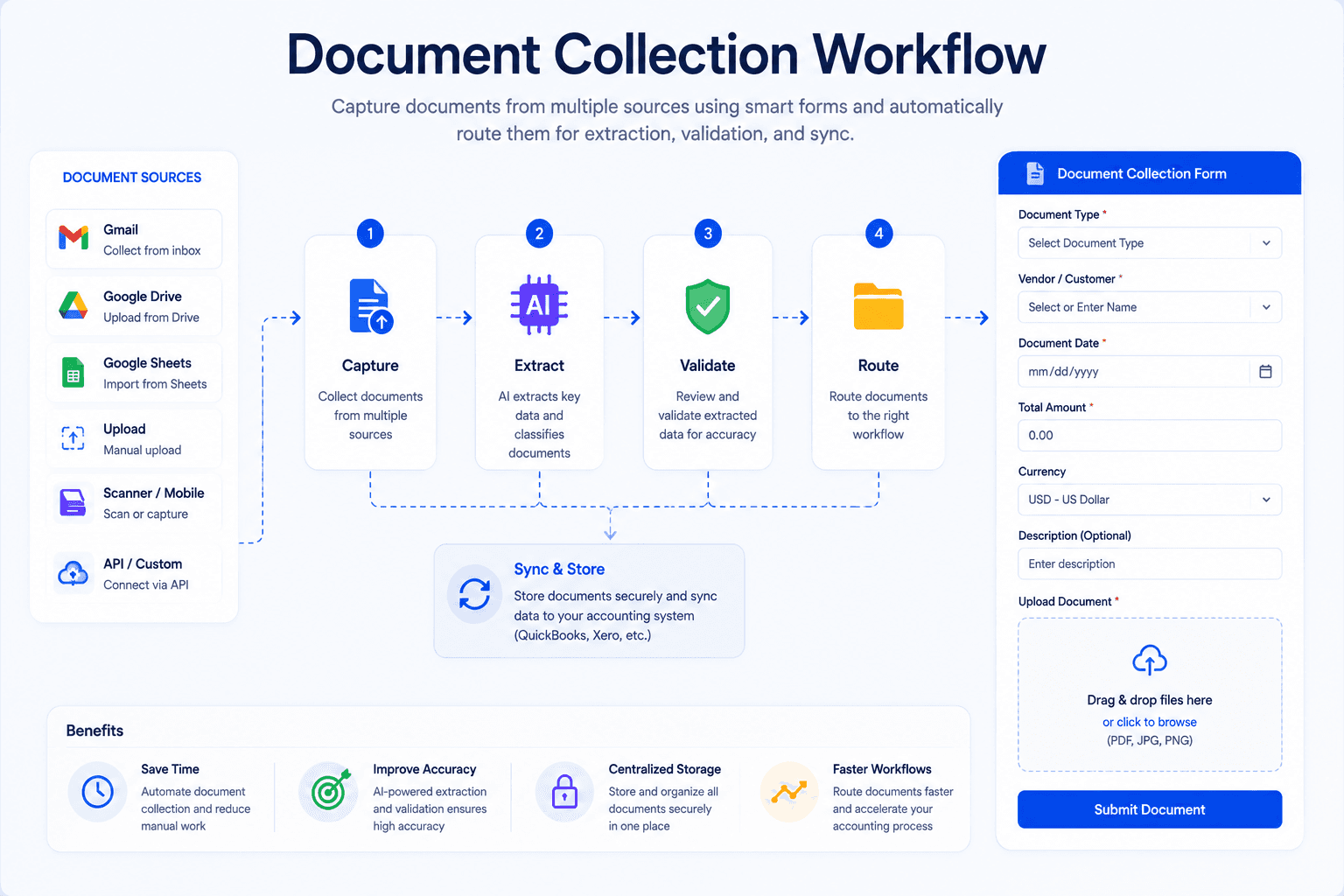
BillsDeck helps businesses centralize document collection while automating invoice and receipt processing.
Centralized Document Collection
Gather invoices from multiple sources.
OCR Extraction
Automatically extract structured data.
AP Workflow Automation
Route invoices through approval workflows.
Accounting Integrations
Sync with:
- QuickBooks
- Xero
- Google Sheets
Receipt Scanning
Businesses using QuickBooks can streamline expense management with the BillsDeck Receipt Scanner for QuickBooks.
By combining document collection, OCR, and workflow automation, BillsDeck helps finance teams reduce manual effort and improve processing speed.
Future of OCR and Intelligent Document Processing
OCR technology continues to evolve rapidly.
The next generation of document processing will include:
- Higher extraction accuracy
- Context-aware AI models
- Automated exception handling
- Predictive approvals
- Touchless invoice processing
- Advanced fraud detection
Organizations are increasingly moving toward end-to-end automation where documents are captured, processed, approved, and archived with minimal human intervention.
Frequently Asked Questions
What is OCR software?
OCR software converts printed or scanned text into machine-readable data that can be extracted and processed automatically.
What is invoice OCR?
Invoice OCR specifically extracts information from supplier invoices, including invoice numbers, dates, taxes, totals, and vendor details.
How does OCR improve accounts payable?
OCR eliminates manual data entry, speeds invoice processing, improves accuracy, and supports automated approval workflows.
What is AP automation?
Accounts payable automation is the use of technology to streamline invoice capture, validation, approvals, payments, and recordkeeping.
Does OCR work with QuickBooks?
Yes. Many OCR solutions integrate directly with QuickBooks and can automatically create bills, expenses, and transactions.
What is the difference between OCR and intelligent document processing?
OCR reads text, while intelligent document processing adds machine learning and contextual understanding to improve extraction and automation.
How does BillsDeck help automate invoice processing?
BillsDeck combines document collection, invoice OCR, receipt scanning, workflow automation, and accounting integrations to automate the entire accounts payable process.
Final Thoughts
OCR software has become an essential component of modern finance operations.
Organizations that still rely on manual invoice processing face growing challenges related to speed, cost, accuracy, and scalability. The combination of OCR technology and accounts payable automation enables businesses to process invoices faster, reduce operational costs, improve compliance, and gain better visibility into financial workflows.
Whether you're a small business processing a few hundred invoices each month or an enterprise managing thousands of supplier transactions, investing in the right OCR solution can significantly improve efficiency. For businesses seeking a platform that combines document collection, invoice extraction, receipt scanning, accounting integrations, and workflow automation, BillsDeck provides a practical solution for modern finance teams.