Every organization relies on documents. Invoices, receipts, purchase orders, contracts, forms, bank statements, shipping documents, tax records, insurance claims, and customer applications flow through businesses every day. While digital transformation has modernized many business operations, document processing remains one of the most manual and time-consuming tasks for many organizations. Employees spend countless hours opening files, reviewing information, entering data into software systems, validating entries, correcting errors, and routing documents to the right departments.
As document volumes grow, manual processing becomes expensive, slow, and difficult to scale. This is where automated document processing comes in. Automated document processing enables businesses to capture information from documents, extract relevant data, validate information, and send structured data directly into business systems with minimal human intervention. The result is faster operations, lower costs, improved accuracy, and significantly better productivity. This guide explains everything you need to know about automated document processing, including technologies, benefits, workflows, use cases, implementation strategies, and future trends.
Table of Contents
- What Is Automated Document Processing?
- Why Businesses Need Automated Document Processing
- The Challenges of Manual Document Processing
- How Automated Document Processing Works
- Key Technologies Behind Document Automation
- OCR vs Intelligent Document Processing
- Benefits of Automated Document Processing
- Types of Documents That Can Be Automated
- Industries Using Automated Document Processing
- Common Use Cases
- Document Processing Workflow
- Challenges and Limitations
- Best Practices for Implementation
- How BillsDeck Simplifies Document Automation
- Future of Automated Document Processing
- Frequently Asked Questions
- Final Thoughts
What Is Automated Document Processing?
Automated document processing (ADP) is the use of software and automation technologies to capture, classify, extract, validate, and process information from documents without requiring extensive manual data entry.
Instead of employees reading documents and manually entering information into systems, software automatically identifies important data fields and converts them into structured, usable information.
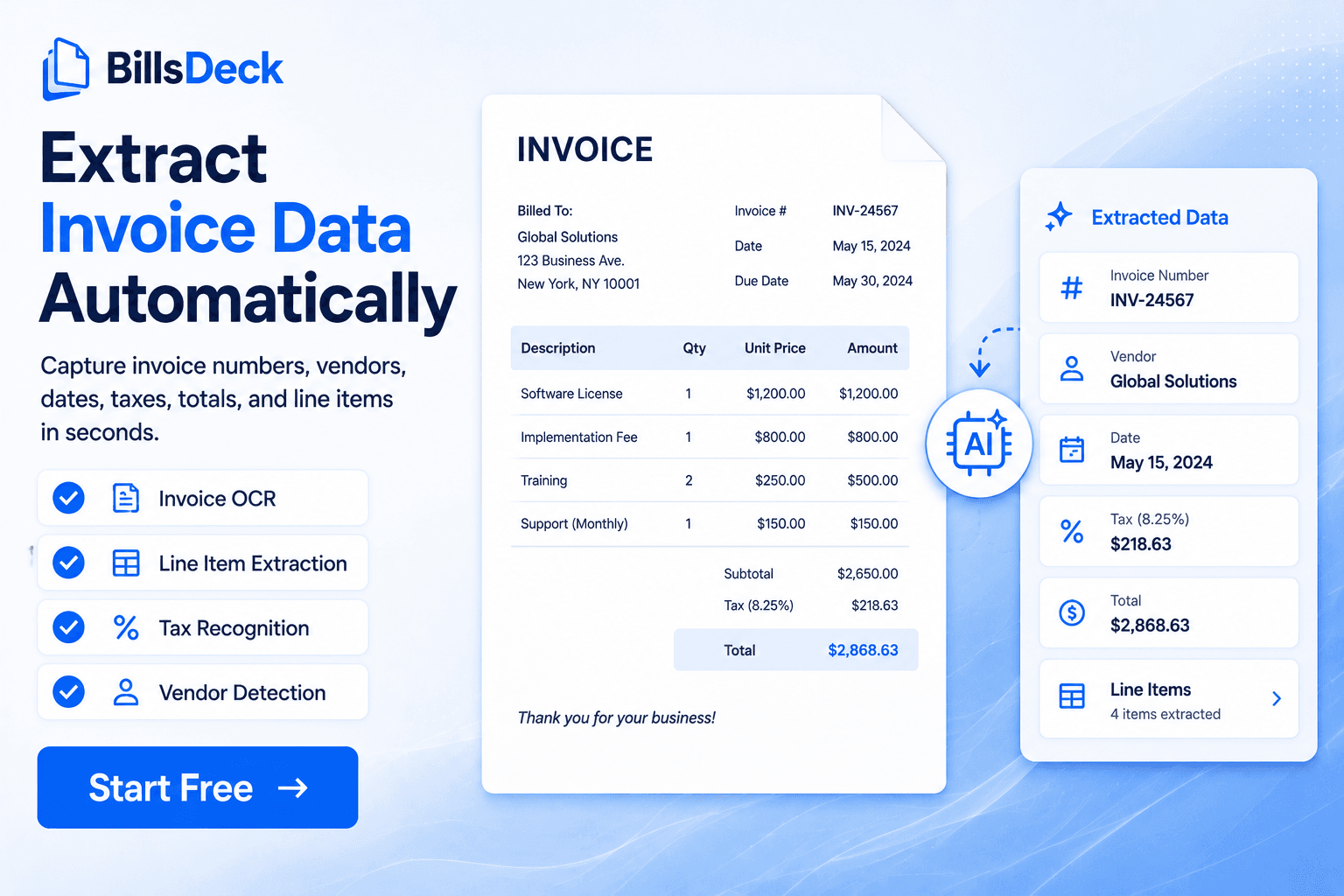
For example, an invoice may contain:
- Vendor name
- Invoice number
- Invoice date
- Due date
- Line items
- Tax amounts
- Total amount
Rather than manually typing these fields into accounting software, automated document processing extracts the information automatically and prepares it for downstream workflows.
The technology works across both digital and scanned documents, enabling businesses to process large volumes of files quickly and accurately.
Why Businesses Need Automated Document Processing
Documents are at the center of nearly every business process.
Organizations receive documents from:
- Customers
- Vendors
- Suppliers
- Employees
- Financial institutions
- Government agencies
Each document contains valuable business information.
Unfortunately, manually processing that information creates several challenges:
- Slow turnaround times
- Human errors
- High labor costs
- Data inconsistencies
- Poor visibility
- Compliance risks
As businesses grow, document volumes increase exponentially.
A finance team processing 100 invoices per month may manually manage the workload.
The same team processing 10,000 invoices per month requires automation to remain efficient.
Automated document processing helps organizations scale without proportionally increasing headcount.
The Challenges of Manual Document Processing
Time-Consuming Workflows
Employees spend significant time:
- Opening files
- Reading information
- Copying data
- Verifying entries
- Organizing documents
These repetitive tasks consume valuable resources.
Human Errors
Manual data entry inevitably leads to mistakes.
Common errors include:
- Incorrect dates
- Missing values
- Duplicate entries
- Typographical mistakes
- Misclassified documents
Even small errors can create major downstream problems.
High Operational Costs
Manual processing requires staffing resources.
As document volume grows, labor costs increase significantly.
Slow Business Processes
Documents often sit in inboxes waiting for review.
This delays:
- Payments
- Approvals
- Customer onboarding
- Compliance reviews
Limited Visibility
Organizations struggle to track:
- Processing status
- Missing documents
- Approval bottlenecks
- Exception handling
How Automated Document Processing Works
Automated document processing follows a structured workflow.
Step 1: Document Collection
Documents enter the system through:
- Upload portals
- Mobile apps
- Cloud storage
- Shared drives
- APIs
Many businesses first establish a centralized document collection workflow.
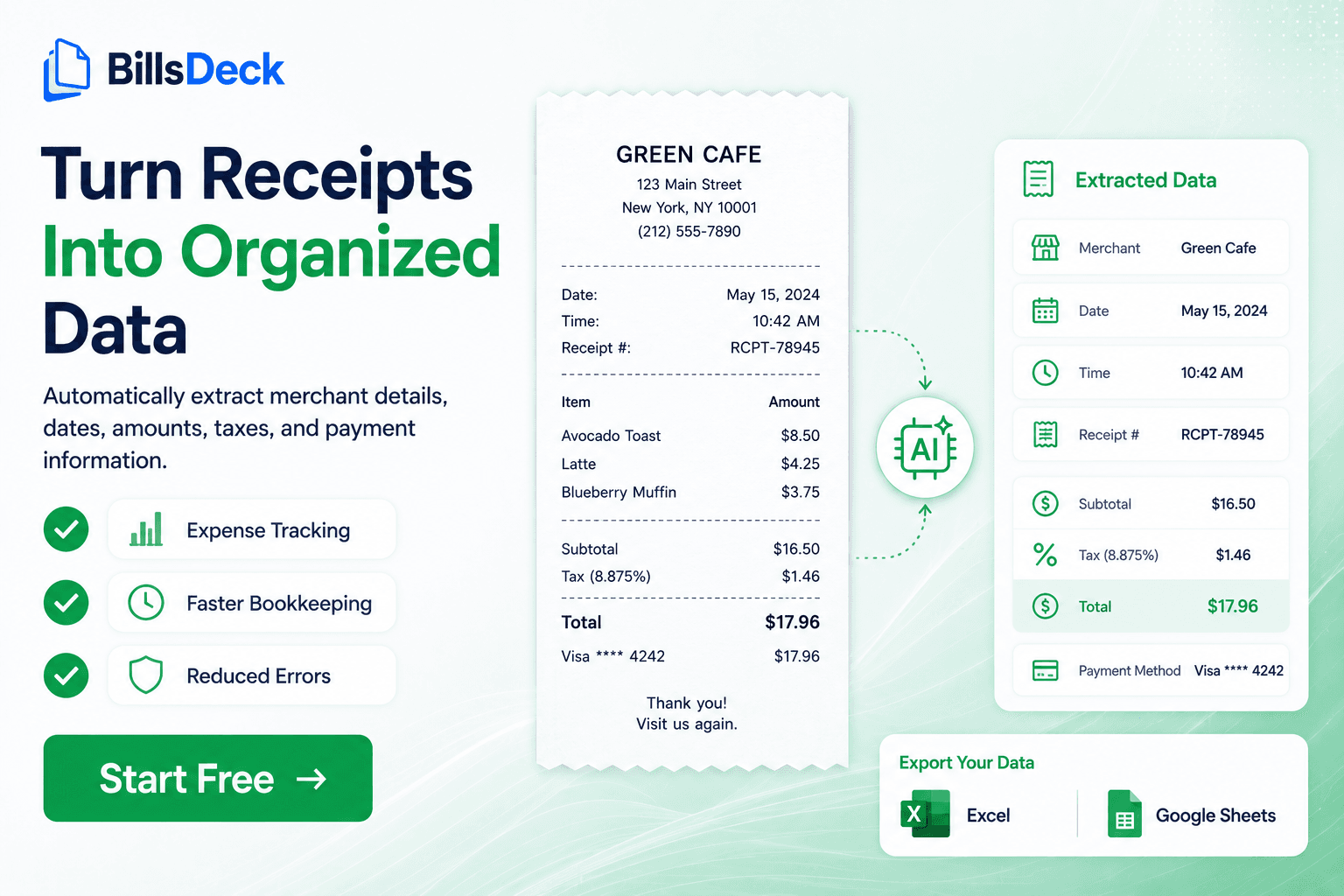
Organizations looking to automate document intake can use BillsDeck to collect invoices, receipts, purchase orders, vendor credits, and other financial documents from email, cloud storage, clients, and vendors.
Step 2: Document Classification
The system identifies document types automatically.
Examples:
- Invoice
- Receipt
- Contract
- Purchase order
- Bank statement
- Tax document
Each document follows its own extraction workflow.
Step 3: Data Extraction
Important information is extracted from the document.
For invoices this may include:
- Vendor name
- Invoice number
- Date
- Currency
- Tax amount
- Total value
Step 4: Validation
Extracted data is checked against predefined business rules.
Examples:
- Duplicate invoice detection
- Vendor verification
- Amount validation
- Date verification
Step 5: Workflow Processing
Validated data is routed automatically.
Examples:
- Accounting systems
- CRM systems
- ERP platforms
- Databases
- Approval workflows
Step 6: Storage and Archiving
Documents and extracted data are securely stored for future access.
Key Technologies Behind Document Automation
Optical Character Recognition (OCR)
OCR converts images and scanned documents into machine-readable text.
Without OCR, computers cannot understand scanned paperwork.
OCR serves as the foundation of most document automation systems.
OCR Capabilities
- Text recognition
- Multi-language support
- Handwriting recognition
- Image-to-text conversion
Intelligent Document Processing (IDP)
IDP builds upon OCR.
It adds:
- Machine learning
- Natural language understanding
- Context awareness
- Classification capabilities
IDP enables software to understand document meaning rather than simply recognizing text.
Machine Learning
Machine learning improves extraction accuracy over time.
The system learns from:
- Corrections
- Historical documents
- User feedback
This continuous improvement reduces manual intervention.
Natural Language Processing
NLP helps systems understand:
- Context
- Terminology
- Document structure
- Relationships between data fields
This is particularly useful for contracts, legal documents, and complex forms.
OCR vs Intelligent Document Processing
| Feature | OCR | IDP |
|---|---|---|
| Reads text | Yes | Yes |
| Extracts fields | Limited | Advanced |
| Understands context | No | Yes |
| Classifies documents | No | Yes |
| Learns from data | No | Yes |
| Handles complex layouts | Limited | Excellent |
OCR is the starting point.
IDP represents the next evolution of document automation.
Benefits of Automated Document Processing
Increased Speed
Tasks that once required hours can be completed in minutes.
Organizations process significantly more documents without additional staff.
Improved Accuracy
Automation reduces manual entry errors.
Accurate data improves decision-making and reporting.
Lower Costs
Reduced labor requirements lead to lower operational expenses.
Organizations can redirect resources toward higher-value activities.
Better Compliance
Automated audit trails improve:
- Regulatory compliance
- Data governance
- Record retention
Enhanced Scalability
Businesses can handle increasing document volumes without expanding administrative teams.
Improved Customer Experience
Faster processing means:
- Quicker approvals
- Faster onboarding
- Better service delivery
Types of Documents That Can Be Automated
Financial Documents
- Invoices
- Bills
- Receipts
- Expense reports
- Purchase orders
Banking Documents
- Bank statements
- Loan applications
- Credit reports
Insurance Documents
- Claims forms
- Policy documents
- Supporting evidence
Human Resources Documents
- Resumes
- Employee records
- Tax forms
Legal Documents
- Contracts
- Agreements
- Court filings
Healthcare Documents
- Patient records
- Insurance claims
- Medical forms
Industries Using Automated Document Processing
Finance and Accounting
Finance teams process thousands of invoices and receipts every month.
Automation improves:
- Accounts payable
- Accounts receivable
- Expense management
- Financial reporting
Banking
Banks automate:
- Customer onboarding
- Loan processing
- Compliance reviews
- Identity verification
Insurance
Insurance providers automate:
- Claims processing
- Policy management
- Customer verification
Healthcare
Healthcare organizations automate:
- Patient intake
- Medical records
- Billing processes
Logistics
Logistics companies process:
- Bills of lading
- Shipping documents
- Customs forms
- Delivery records
Common Use Cases
Invoice Processing
Automatically extract:
- Vendor details
- Invoice numbers
- Due dates
- Line items
and sync directly to accounting systems.
Receipt Processing
Capture expense information automatically.
Ideal for:
- Employees
- Bookkeepers
- Accounting firms
Purchase Order Processing
Extract PO information and match against invoices.
Vendor Onboarding
Collect and process:
- Tax forms
- Compliance documents
- Banking information
Customer Onboarding
Automate collection and verification of:
- Identity documents
- Applications
- Supporting records
Document Processing Workflow Example
Consider a company receiving 5,000 supplier invoices each month.
Traditional Process
- Open invoice
- Read details
- Enter data manually
- Verify information
- Route for approval
- Archive document
Average processing time: 10–15 minutes per invoice.
Automated Process
- Invoice arrives by email
- System identifies invoice
- OCR extracts data
- Validation rules run
- Data syncs to accounting software
- Invoice enters approval workflow
Average processing time: Less than one minute.
The productivity gains are substantial.
Challenges and Limitations
Poor Quality Documents
Low-resolution scans can reduce extraction accuracy.
Complex Layouts
Highly customized documents may require additional configuration.
Handwritten Documents
Although technology has improved, handwriting remains more difficult than printed text.
Change Management
Teams often require training when transitioning from manual workflows.
Integration Complexity
Organizations may need integrations with multiple systems.
Best Practices for Implementation
Start With High-Volume Processes
Focus on workflows with the greatest manual burden.
Examples:
- Invoice processing
- Receipt processing
- Customer onboarding
Standardize Document Collection
Consistent document intake improves automation performance.
Monitor Accuracy
Review extraction results regularly.
Establish Validation Rules
Implement checks for:
- Duplicate documents
- Missing fields
- Invalid values
Integrate Core Systems
Connect automation workflows to:
- ERP systems
- Accounting software
- CRM platforms
How BillsDeck Simplifies Document Automation
Many businesses struggle before automation even begins because documents arrive from multiple sources.
Invoices may be scattered across:
- Gmail inboxes
- Shared drives
- Vendor emails
- Client uploads
- Cloud storage systems
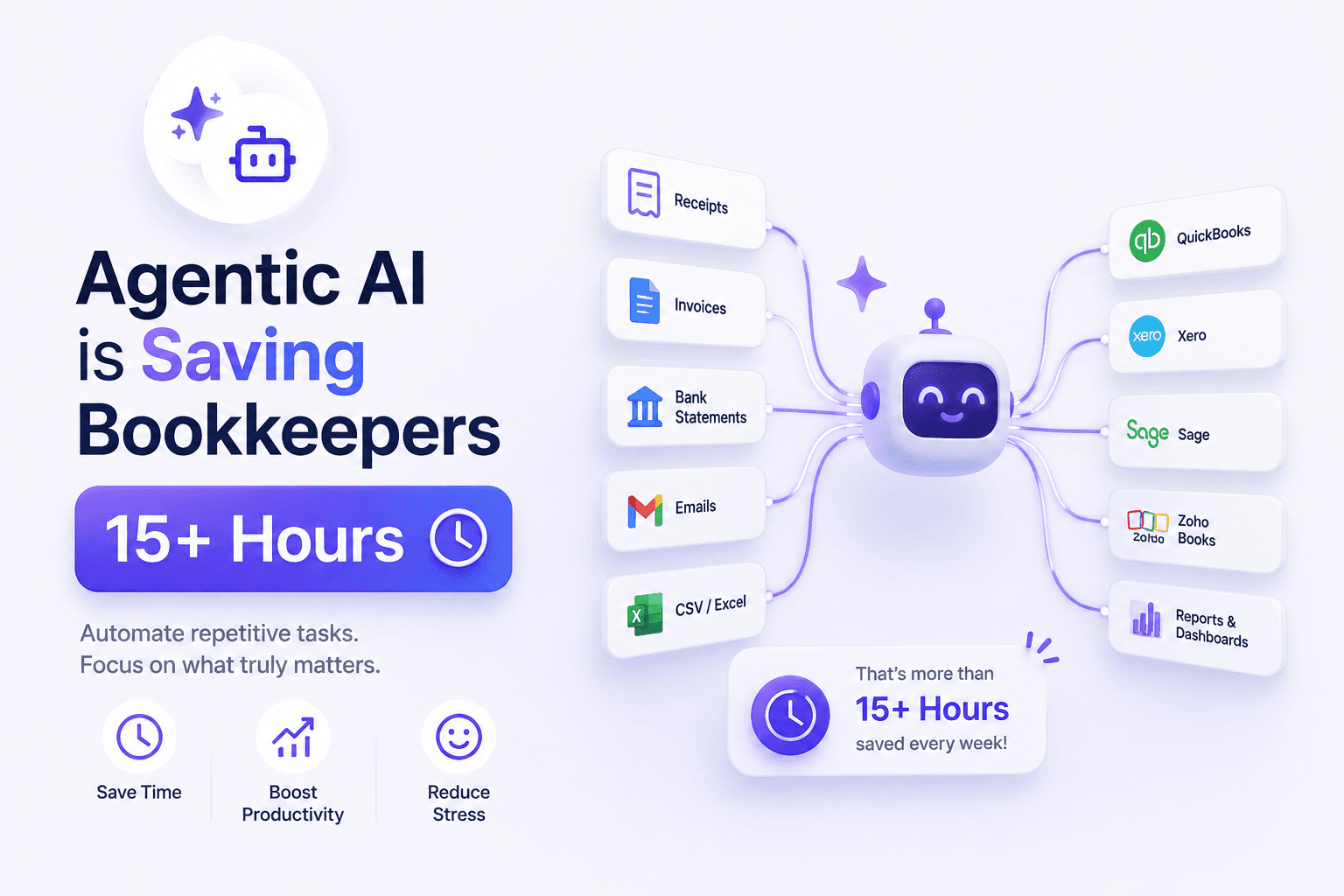
BillsDeck helps businesses centralize document collection and automate financial document processing.
Key capabilities include:
Automated Document Collection
Collect invoices, receipts, bills, purchase orders, quotes, and vendor credits from multiple channels.
OCR-Based Data Extraction
Automatically capture structured data from financial documents.
Accounting Integrations
Sync extracted data directly with:
- QuickBooks
- Xero
- Google Sheets
Workflow Automation
Reduce manual entry and streamline bookkeeping operations.
Centralized Visibility
Track all incoming documents from a single platform.
For accounting firms, bookkeepers, finance teams, and growing businesses, BillsDeck provides a streamlined path from document collection to accounting automation.
Future of Automated Document Processing
Document automation continues to evolve rapidly.
Future systems will deliver:
- Near real-time extraction
- Greater accuracy
- Better contextual understanding
- Advanced workflow automation
- Deeper integrations
- Predictive processing
Organizations are increasingly moving toward touchless document processing, where documents are received, processed, validated, approved, and archived with minimal human involvement.
The combination of OCR, intelligent document processing, workflow automation, and business system integrations will continue transforming how organizations manage information.
Frequently Asked Questions
What is automated document processing?
Automated document processing is the use of software to capture, classify, extract, validate, and process information from documents without manual data entry.
How does OCR help document automation?
OCR converts scanned documents and images into machine-readable text, allowing software to extract information automatically.
What types of documents can be automated?
Invoices, receipts, contracts, purchase orders, bank statements, tax forms, insurance documents, applications, and many other document types.
What is the difference between OCR and IDP?
OCR reads text from documents, while IDP combines OCR with machine learning and contextual understanding to process complex documents more intelligently.
Can automated document processing reduce costs?
Yes. Automation reduces manual labor, minimizes errors, speeds workflows, and improves operational efficiency.
Is automated document processing accurate?
Modern systems often achieve high accuracy rates, especially when combined with validation rules and quality document inputs.
How does BillsDeck help automate document processing?
BillsDeck centralizes document collection, extracts financial data using OCR, and synchronizes information with accounting platforms such as QuickBooks, Xero, and Google Sheets.
Final Thoughts
Documents drive nearly every business process. Yet manual document handling remains one of the largest operational bottlenecks across industries. Automated document processing transforms how organizations capture, extract, validate, and use information. By eliminating repetitive manual work, businesses gain faster processing times, lower costs, improved accuracy, and greater scalability. Whether you process invoices, receipts, contracts, forms, or customer records, implementing document automation can significantly improve operational efficiency. Organizations that combine automated document collection, intelligent extraction, and workflow automation are better positioned to scale efficiently while delivering faster and more reliable business processes.