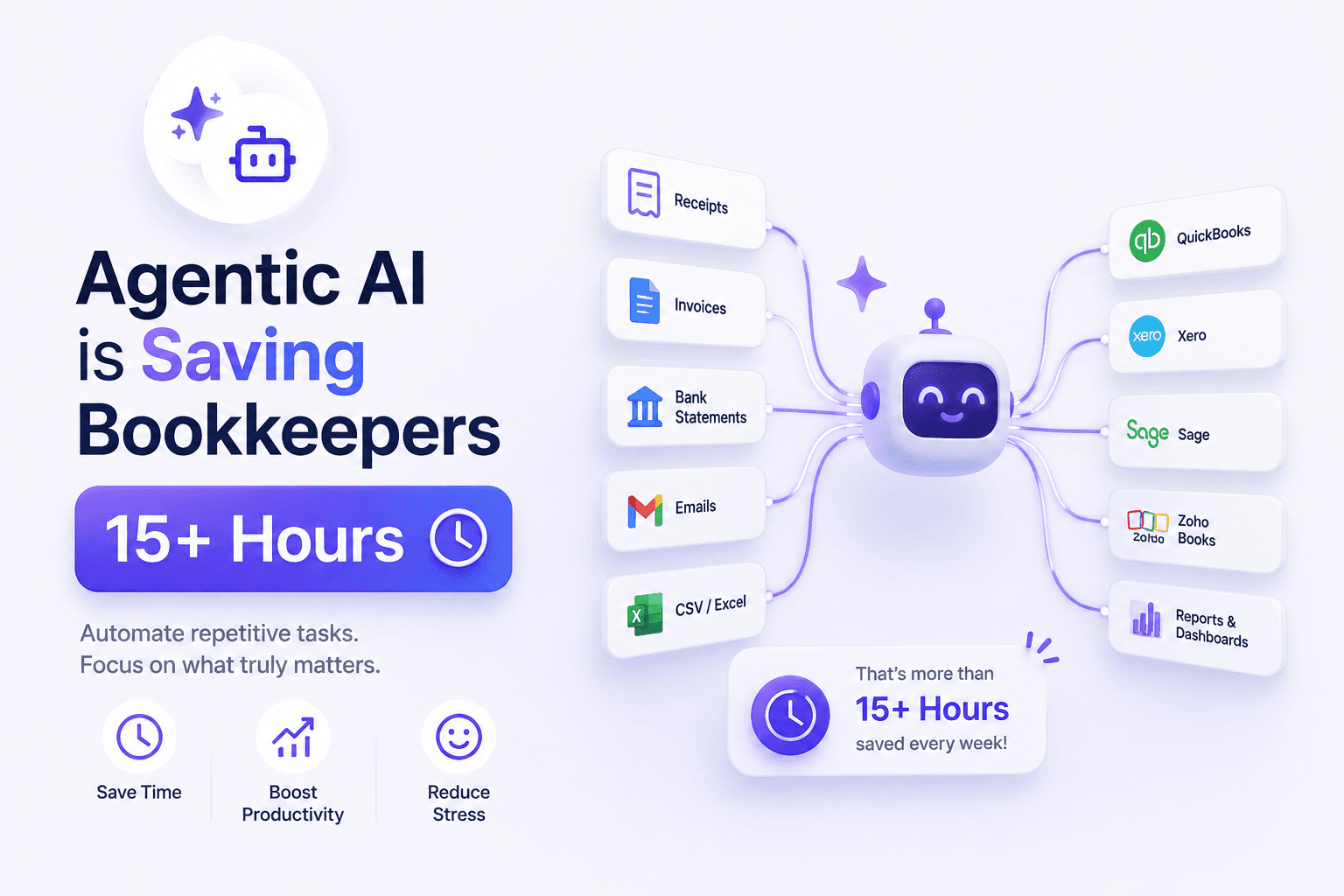
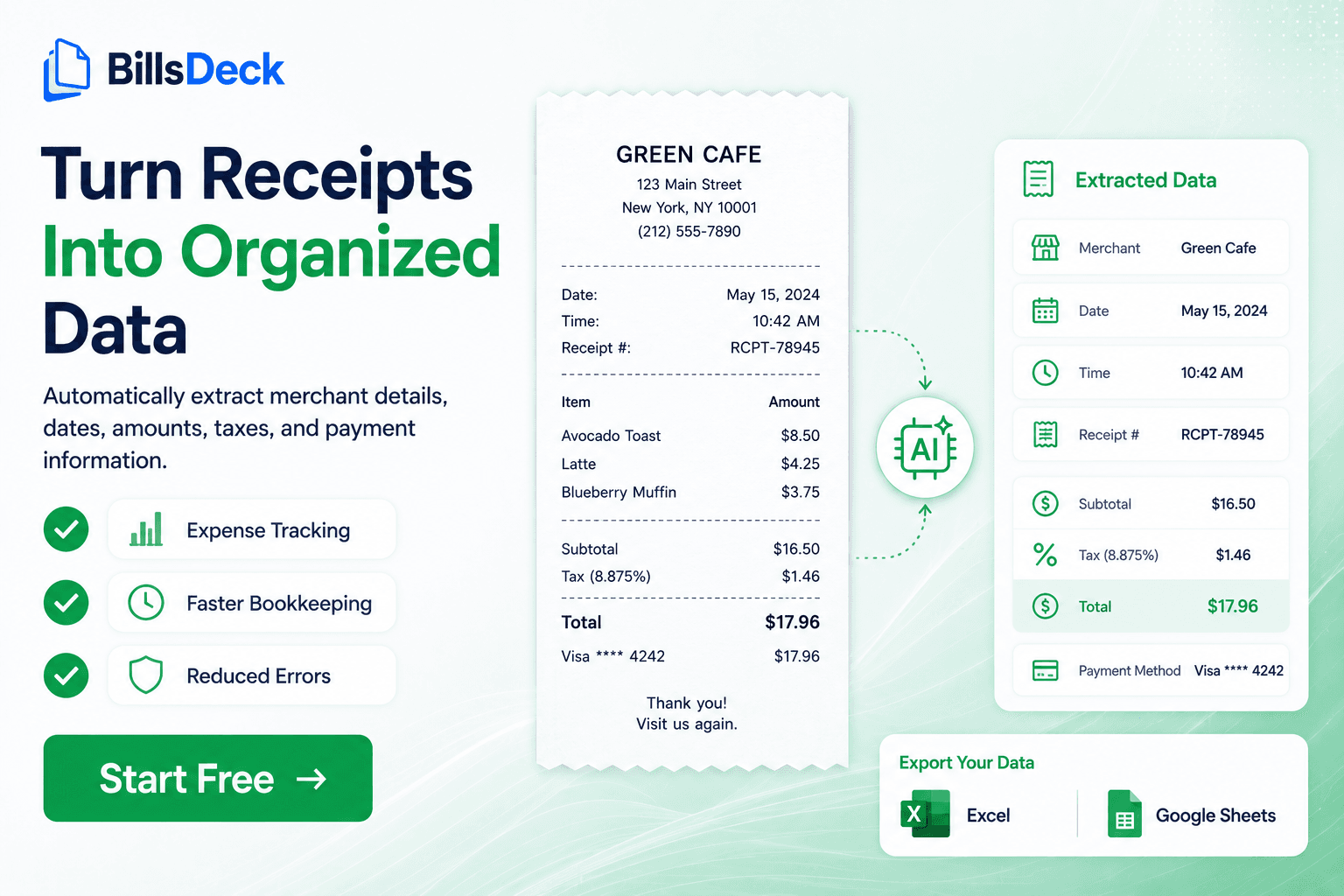
Accounts Payable (AP) Automation is the process of using software and digital workflows to capture, validate, approve, process, and archive supplier invoices with minimal manual intervention.
For decades, finance teams relied on paper invoices, spreadsheets, email chains, and manual approvals. While these methods worked when invoice volumes were low, they become inefficient, costly, and error-prone as organizations grow.
Today, AP automation enables businesses to:
- Capture invoices automatically
- Extract invoice data using OCR and AI
- Route invoices for approval
- Match invoices against purchase orders
- Detect duplicates and fraud
- Sync data with accounting systems
- Maintain complete audit trails
- Process payments faster
Organizations implementing AP automation often see significant reductions in processing time, fewer errors, improved compliance, and stronger supplier relationships. AP automation platforms typically digitize invoice receipt, approval workflows, matching processes, and archival functions.
Table of Contents
- What Is AP Automation?
- Why Traditional AP Processes Fail
- How AP Automation Works
- Core Components of AP Automation
- AP Automation Workflow Explained
- Benefits of AP Automation
- Industries That Benefit Most
- AP Automation ROI
- Common Challenges and Solutions
- How to Build a Business Case
- AP Automation Best Practices
- The Future of AP Automation
- How BillsDeck Supports AP Automation
- Frequently Asked Questions
Why Traditional Accounts Payable Processes Fail
Many finance teams still rely on:
- Email attachments
- Printed invoices
- Manual data entry
- Spreadsheet tracking
- Physical approval signatures
This creates several challenges.
Slow Processing
Invoices often sit in inboxes waiting for approval.
A single invoice may require:
- AP review
- Department approval
- Budget verification
- Management approval
Each step introduces delays.
Human Errors
Manual entry increases the risk of:
- Incorrect amounts
- Wrong vendor details
- Duplicate entries
- Tax calculation mistakes
Missing Documents
Paper-based systems make it difficult to locate historical invoices during audits.
Limited Visibility
Management often struggles to answer questions like:
- Which invoices are overdue?
- Which approvals are pending?
- What liabilities are due next month?
Without centralized visibility, decision-making becomes difficult.
How AP Automation Works
Modern AP automation transforms invoice processing into a streamlined digital workflow.
The process generally consists of four major stages:
1. Invoice Capture
Invoices enter the system through:
- Supplier portals
- EDI connections
- PDF uploads
- Mobile scanning
- Shared folders
- Cloud storage systems
Paper invoices can be digitized using OCR technology.
2. Data Extraction
Invoice details are automatically captured:
- Vendor name
- Invoice number
- Invoice date
- Tax amount
- Total amount
- Purchase order number
- Payment terms
Advanced AI extraction tools significantly reduce manual data entry requirements. AP automation solutions commonly use OCR and AI technologies to convert invoices into structured digital records.
3. Validation and Matching
The system validates invoice information against:
- Vendor records
- Purchase orders
- Goods receipts
- Contracts
Exceptions are flagged automatically.
4. Approval and Payment
Invoices are routed to the appropriate approvers.
After approval:
- Accounting records are updated
- ERP systems are synchronized
- Payments are scheduled
Finally, invoices are archived securely.
Core Components of AP Automation
Invoice Receipt
Invoices can arrive in multiple formats:
- XML
- E-Invoice
- Paper
- Email attachments
Automation platforms standardize these inputs.
OCR and Data Capture
OCR extracts information from:
- Vendor bills
- Utility invoices
- Purchase orders
- Receipts
- Credit notes
This removes the need for repetitive manual typing.
Workflow Automation
Approval workflows automatically determine:
- Who should approve
- Approval limits
- Escalation paths
- Notification rules
Matching Engine
Matching ensures invoice accuracy.
Common matching methods include:
Two-Way Match
Invoice vs Purchase Order
Three-Way Match
Invoice vs Purchase Order vs Goods Receipt
Four-Way Match
Invoice vs Purchase Order vs Receipt vs Inspection
Archiving and Audit Trails
Every action is recorded.
Organizations gain:
- Compliance visibility
- Audit readiness
- Faster document retrieval
Electronic archival and audit tracking are among the primary functions of modern AP automation platforms.
Looking to automate your accounts payable process? Try BillsDeck to automatically extract invoice data, streamline document collection, and sync information directly with QuickBooks, Xero, Google Sheets, and other business systems.
AP Automation Workflow Explained
A typical automated invoice journey looks like this:
- Supplier sends invoice
- Invoice enters AP platform
- OCR extracts data
- Validation rules run
- Duplicate detection occurs
- Purchase order matching happens
- Approval workflow begins
- Invoice receives approval
- ERP synchronization occurs
- Payment is scheduled
- Invoice is archived
Instead of touching an invoice 10–15 times, finance teams may only review exceptions.
Benefits of AP Automation
1. Faster Invoice Processing
Manual invoice processing can take days or weeks.
Automation dramatically reduces cycle times by eliminating repetitive tasks and routing invoices automatically for approval. AP automation is specifically designed to reduce manual touches and accelerate approvals.
Results
- Faster approvals
- Reduced bottlenecks
- Better cash management
2. Lower Processing Costs
Manual AP processes involve:
- Labor
- Printing
- Storage
- Filing
- Error correction
Automation reduces these expenses substantially.
Organizations often achieve major reductions in invoice handling costs by moving toward electronic and touchless processing.
3. Improved Accuracy
Automation eliminates many data-entry errors.
Systems can automatically validate:
- Vendor IDs
- Invoice numbers
- Amounts
- Tax calculations
This reduces costly mistakes.
4. Better Compliance
Compliance rules become embedded into workflows.
Benefits include:
- Approval controls
- Segregation of duties
- Audit trails
- Duplicate detection
Built-in controls help organizations identify risks and prevent fraudulent or duplicate payments.
5. Increased Visibility
Dashboards provide real-time insight into:
- Pending approvals
- Outstanding liabilities
- Payment schedules
- Supplier performance
Decision-makers gain immediate visibility.
6. Stronger Supplier Relationships
Late payments damage vendor trust.
Automation helps businesses:
- Process invoices faster
- Meet payment deadlines
- Capture discounts
- Reduce disputes
Consistent payment performance improves supplier satisfaction and business relationships.
7. Remote Accessibility
Cloud-based AP systems allow teams to work from anywhere.
Approvals can occur:
- On mobile devices
- Through web portals
- Via email workflows
This flexibility has become essential for distributed finance teams.
Industries That Benefit Most from AP Automation
Manufacturing
Manufacturers process large volumes of:
- Purchase orders
- Goods receipts
- Supplier invoices
Automation improves matching efficiency.
Construction
Construction firms manage:
- Subcontractor invoices
- Progress billing
- Project-specific approvals
Workflow automation reduces delays.
Healthcare
Healthcare organizations must handle:
- Compliance requirements
- Large supplier networks
- High invoice volumes
Automation improves control.
Retail and Ecommerce
Retailers process thousands of vendor invoices monthly.
Automation supports scalability.
Financial Services
Banks and financial institutions benefit from:
- Enhanced audit readiness
- Fraud prevention
- Regulatory compliance
Several industries including manufacturing, construction, healthcare, financial services, retail, and ecommerce commonly benefit from AP automation initiatives.
Understanding the ROI of AP Automation
One of the biggest questions executives ask is:
"Will AP automation pay for itself?"
The answer is often yes.
Financial ROI Components
Reduced Labor Costs
Employees spend less time on:
- Data entry
- Approvals
- Filing
- Follow-ups
Reduced Errors
Automation minimizes:
- Duplicate payments
- Incorrect coding
- Payment mistakes
Early Payment Discounts
Faster approvals allow organizations to capture supplier discounts.
Lower Storage Costs
Electronic archiving eliminates:
- Filing cabinets
- Physical storage
- Retrieval costs
Common ROI drivers include reduced processing costs, fewer errors, faster payments, time savings, and increased discount capture.
Non-Financial ROI
Not every benefit appears on a spreadsheet.
Important non-financial returns include:
- Employee satisfaction
- Better controls
- Easier audits
- Improved supplier relationships
- Greater visibility
These improvements often create long-term operational advantages.
Common AP Automation Challenges
Poor Invoice Quality
Low-quality scans can affect extraction accuracy.
Solution
Use AI-powered OCR and supplier submission standards.
Approval Bottlenecks
Managers may delay approvals.
Solution
Implement reminders and escalation workflows.
ERP Integration Complexity
Data synchronization can be challenging.
Solution
Choose platforms with prebuilt ERP integrations.
Change Management
Employees may resist new processes.
Solution
Provide training and clear communication.
How to Build a Business Case for AP Automation
Successful AP automation projects require executive support.
Step 1: Assess Current Costs
Measure:
- Cost per invoice
- Processing time
- Error rates
Step 2: Identify Pain Points
Examples include:
- Delayed approvals
- Duplicate payments
- Supplier complaints
Step 3: Estimate Savings
Calculate:
- Labor reduction
- Storage savings
- Discount opportunities
Step 4: Address Stakeholder Concerns
Different stakeholders care about different outcomes:
CFO
- ROI
- Cash flow
- Cost reduction
AP Team
- Reduced workload
- Better productivity
IT Team
- Integration
- Security
Building a successful AP automation case generally requires documenting existing challenges, researching current workflows, estimating ROI, and addressing stakeholder concerns.
AP Automation Best Practices
Standardize Invoice Intake
Create consistent submission channels.
Automate Approval Rules
Avoid manual routing whenever possible.
Monitor Exception Rates
Review why invoices fail matching.
Track KPIs
Important metrics include:
- Processing time
- Cost per invoice
- Touchless rate
- Approval cycle time
Continuously Optimize
Automation should evolve as business requirements change.
The Future of AP Automation
Modern AP automation is moving beyond simple OCR.
Emerging trends include:
AI-Based Coding
Systems automatically assign:
- GL accounts
- Cost centers
- Tax categories
Predictive Analytics
Finance leaders gain forecasting insights.
Touchless Processing
Organizations increasingly aim for fully automated invoice workflows.
Industry leaders are focusing heavily on touchless invoice processing supported by AI, machine learning, advanced matching, and analytics capabilities.
Supplier Self-Service
Vendors can:
- Submit invoices
- Track status
- Update information
Without contacting AP teams.
How BillsDeck Supports AP Automation
BillsDeck helps finance teams automate document collection and invoice processing by extracting structured data from business documents.
With BillsDeck, organizations can:
- Extract invoice data automatically
- Process bills, receipts, purchase orders, and credit notes
- Capture line-item details
- Import documents from Gmail
- Sync files from Google Drive
- Export structured data to Google Sheets
- Integrate with QuickBooks
- Integrate with Xero
- Connect workflows to HubSpot and other business systems
Instead of manually entering invoice data into accounting software, finance teams can automate extraction and synchronization workflows, reducing manual effort while improving accuracy.
Conclusion
Accounts payable automation has evolved from a productivity tool into a strategic finance capability.
Organizations that continue relying on manual invoice processing face growing challenges:
- Rising labor costs
- Increased compliance demands
- Supplier expectations
- Scaling limitations
By automating invoice capture, approvals, matching, payments, and archival, businesses can reduce costs, improve accuracy, strengthen compliance, and create a more efficient finance operation.
Whether your company processes hundreds or hundreds of thousands of invoices annually, AP automation can transform accounts payable from an administrative function into a strategic business advantage.
Frequently Asked Questions
What is AP automation?
AP automation is the use of software to digitize and automate accounts payable processes including invoice capture, approval routing, matching, payment processing, and document archiving.
How does AP automation work?
Invoices are captured digitally, data is extracted using OCR or AI, validated against business rules, routed for approval, and then synchronized with accounting systems before payment.
What are the biggest benefits of AP automation?
Major benefits include:
- Faster invoice processing
- Reduced costs
- Better accuracy
- Improved compliance
- Stronger supplier relationships
- Increased visibility
Can AP automation reduce duplicate payments?
Yes. Modern AP systems automatically check for duplicate invoice numbers, vendors, and payment records before processing.
Does AP automation work with QuickBooks and Xero?
Most modern AP automation solutions integrate directly with accounting platforms including QuickBooks, Xero, NetSuite, SAP, Microsoft Dynamics, and others.
What documents can be automated?
Common documents include:
- Vendor invoices
- Bills
- Purchase orders
- Credit notes
- Vendor credits
- Payment receipts
- Expense receipts
Is AP automation suitable for small businesses?
Yes. Even businesses processing a few hundred invoices per month can benefit from reduced manual work and improved visibility.
How long does AP automation implementation take?
Implementation timelines vary based on complexity, integrations, and workflow requirements. Small deployments may take days, while enterprise projects may require several weeks or months.