Receipts are among the most frequently used financial documents in every business. Whether you're recording customer payments, reimbursing employee expenses, preparing tax returns, or auditing financial records, receipts serve as essential evidence of every transaction.
Despite their importance, many businesses treat receipts as simple proof of purchase without understanding that different types of receipts serve different accounting purposes. A sales receipt records revenue, while an expense receipt supports deductions. A cash receipt confirms money received, whereas a purchase receipt documents money spent. Using the wrong receipt—or failing to retain one—can create accounting discrepancies, compliance issues, and unnecessary tax risks.
As organizations increasingly adopt digital accounting systems, receipt management has also evolved. Paper receipts are being replaced with scanned documents, OCR-powered extraction, and automated bookkeeping workflows that reduce manual data entry and improve financial accuracy.
This guide explains the most common types of receipts used in accounting, when each should be used, how they affect bookkeeping, and best practices for organizing receipts in modern businesses.
Table of Contents
- What Are Receipts in Accounting?
- Why Receipts Matter
- The Receipt Lifecycle
- How Receipts Are Classified
- Sales Receipt
- Cash Receipt
- Purchase Receipt
- Expense Receipt
- Digital Receipt
- Printed Receipt
- Credit Card Receipt
- (Continued in Part 1B)
- Frequently Asked Questions
- Conclusion
What Are Receipts in Accounting?
An accounting receipt is a document that confirms a financial transaction has taken place. It provides evidence that goods or services were purchased, sold, paid for, or received.
Unlike invoices, which request payment, receipts confirm that payment has already been completed.
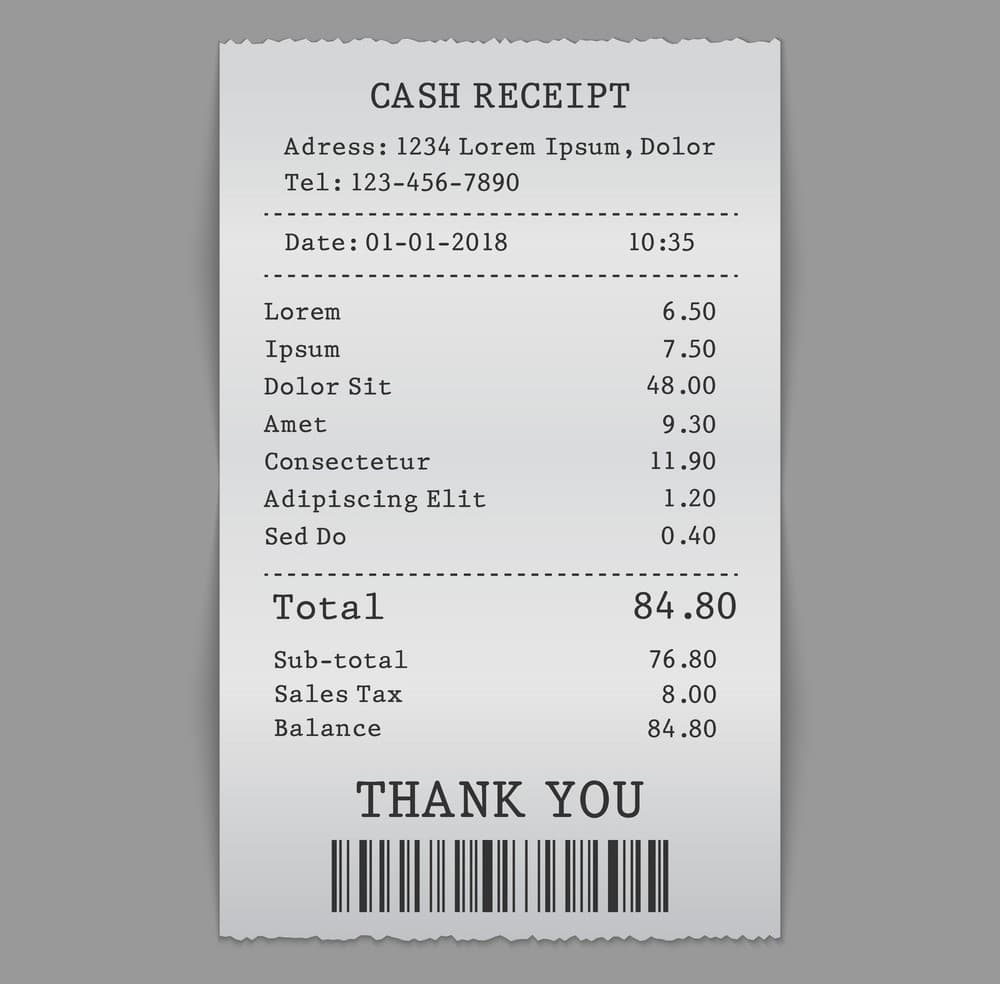
A typical receipt includes:
| Information | Purpose |
|---|---|
| Receipt number | Unique transaction reference |
| Business information | Identifies the seller |
| Customer details | Identifies the buyer when applicable |
| Date and time | Records when the transaction occurred |
| Purchased items | Lists products or services |
| Quantity | Number of items sold |
| Unit price | Individual item cost |
| Taxes | Applicable GST, VAT, or sales tax |
| Discounts | Promotional or negotiated reductions |
| Total amount | Final payment made |
| Payment method | Cash, card, bank transfer, UPI, etc. |
Depending on the business process, receipts may be generated automatically by accounting software, point-of-sale (POS) systems, payment gateways, or expense management platforms.
Why Receipts Are Important
Receipts play a central role in financial recordkeeping because they verify that a transaction actually occurred. Businesses rely on receipts for far more than customer proof of purchase.
1. Accurate Bookkeeping
Every accounting entry should be supported by documentary evidence. Receipts provide that evidence and help accountants reconcile transactions against bank statements and accounting records.
2. Tax Compliance
Tax authorities often require receipts to support deductible expenses, input tax credits, and business purchases.
Without proper documentation, expenses may be disallowed during an audit.
3. Financial Audits
Internal and external auditors examine receipts to verify reported transactions.
Missing receipts can delay audits and raise concerns about internal controls.
4. Expense Reimbursements
Organizations require employees to submit receipts before reimbursing travel, meals, office supplies, or client expenses.
Receipt validation prevents duplicate claims and fraudulent reimbursements.
5. Customer Service
Receipts enable businesses to process:
- refunds
- exchanges
- warranty claims
- service requests
- order verification
Without receipts, verifying previous purchases becomes significantly more difficult.
The Receipt Lifecycle
Understanding the lifecycle of a receipt helps businesses design efficient accounting workflows.
Transaction Occurs
        ↓
Receipt Generated
        ↓
Receipt Collected
        ↓
Receipt Verified
        ↓
Receipt Categorized
        ↓
Accounting Entry Created
        ↓
Receipt Archived
        ↓
Available for Audit
Modern organizations automate much of this lifecycle using OCR technology and document management software.
Instead of manually entering receipt information, finance teams can capture receipt images, extract structured data, validate totals, and synchronize transactions directly with accounting software.
How Receipts Are Classified
Receipts can be classified in several different ways depending on the accounting objective.
| Classification | Examples |
|---|---|
| Based on payment | Cash receipt, Card receipt, Bank receipt |
| Based on transaction | Sales receipt, Purchase receipt |
| Based on format | Printed receipt, Digital receipt |
| Based on accounting purpose | Revenue receipt, Capital receipt |
| Based on business process | Expense receipt, Refund receipt |
Understanding these categories helps businesses store receipts correctly and retrieve them quickly during audits or financial reporting.
1. Sales Receipt
A sales receipt is issued after a customer successfully purchases goods or services.
It confirms that payment has been received and the sale has been completed.
Typical Contents
- Seller information
- Customer details
- Products purchased
- Quantity
- Unit price
- Tax
- Total amount
- Payment method
- Receipt number
Example
A retail clothing store sells:
- 2 Shirts
- 1 Pair of Jeans
Total: ₹4,250
The POS system automatically generates a sales receipt showing the completed transaction.
Why It Matters
Sales receipts:
- record revenue
- support tax reporting
- assist customer returns
- simplify reconciliation
- provide audit evidence
2. Cash Receipt
A cash receipt confirms that payment was received in physical currency or other cash-equivalent methods.
Cash receipts are common for:
- retail stores
- restaurants
- local service providers
- educational institutions
- hospitals
Example
A customer pays ₹1,800 in cash for office supplies.
The cashier issues a cash receipt immediately after payment.
Benefits
Cash receipts:
- document incoming cash
- reduce disputes
- improve cash reconciliation
- support internal controls
- help prevent fraud
Businesses handling significant amounts of cash should reconcile cash receipts daily with cash register balances and bank deposits.
3. Purchase Receipt
Purchase receipts document goods or services acquired by a business.
Unlike sales receipts, purchase receipts represent money spent rather than money received.
Common Business Purchases
- Office furniture
- Computers
- Printer cartridges
- Software subscriptions
- Cleaning supplies
- Packaging materials
Accounting Impact
Purchase receipts support:
- expense recording
- inventory valuation
- fixed asset purchases
- tax deductions
- GST or VAT input credits
Keeping organized purchase receipts helps businesses verify supplier invoices and avoid duplicate payments.
4. Expense Receipt
Expense receipts are submitted to justify business-related expenditures.
These receipts are especially important for employee reimbursement programs.
Common Expense Categories
- Travel
- Hotels
- Meals
- Fuel
- Parking
- Internet
- Office supplies
- Client meetings
- Courier charges
Example
An employee purchases office stationery worth ₹950 during a business trip.
The receipt is uploaded to the company's expense management system, reviewed by finance, and reimbursed after approval.
Organizations increasingly automate this workflow using OCR technology to extract vendor names, dates, totals, taxes, and categories directly from receipt images.
5. Credit Card Receipt
A credit card receipt confirms that a payment was successfully processed using a credit or debit card. While customers often receive a printed or emailed copy, merchants also retain a copy for reconciliation and dispute resolution.
Unlike a sales receipt, a credit card receipt primarily records the payment authorization details and may not always include an itemized list of products purchased.
Typical Information Included
- Merchant name
- Transaction date and time
- Card type (Visa, Mastercard, etc.)
- Last four digits of the card number
- Authorization code
- Transaction amount
- Payment status
- Merchant ID
- Terminal ID
Example
A consulting firm purchases software worth ₹12,500 using a corporate credit card. The payment terminal generates a credit card receipt confirming the successful transaction. The accounting team later matches this receipt with the supplier invoice and the monthly credit card statement.
Why It Matters
Credit card receipts help businesses:
- Verify card payments
- Resolve payment disputes
- Reconcile merchant settlements
- Match transactions with bank statements
- Support expense claims
6. Digital Receipt
Digital receipts are electronic versions of traditional receipts delivered through email, mobile applications, SMS, or customer portals.
As businesses move toward paperless operations, digital receipts have become the preferred format across retail, e-commerce, SaaS, and subscription-based services.
Common Sources
- Online shopping websites
- Payment gateways
- POS systems
- Mobile wallets
- Subscription services
- Accounting software
Advantages
Digital receipts offer several benefits over paper receipts.
- Easy to search
- Secure cloud storage
- Faster retrieval
- Reduced paper usage
- Simplified expense reporting
- Easy integration with accounting software
Many finance teams use intelligent document processing (IDP) solutions to automatically extract information from digital receipts and post transactions directly into accounting systems.
Example
After purchasing office equipment online, the supplier emails a PDF receipt. Instead of printing the document, the finance team uploads it into their document management system where OCR extracts the vendor, invoice number, GST amount, payment date, and total automatically.
7. Printed Receipt
Printed receipts remain one of the most widely recognized transaction documents, particularly in retail stores, restaurants, fuel stations, supermarkets, and pharmacies.
These receipts are typically generated using thermal printers connected to point-of-sale systems.
Common Information
- Store details
- Receipt number
- Products purchased
- Taxes
- Discounts
- Payment method
- Date and time
Limitations
Although printed receipts are convenient, they have several drawbacks.
- Thermal paper fades over time.
- Receipts can easily be lost.
- Manual filing consumes storage space.
- Searching archived receipts is time-consuming.
- Paper documents are vulnerable to damage.
Because of these limitations, many organizations scan printed receipts immediately after receiving them.
8. Gift Receipt
A gift receipt is a modified sales receipt that allows the recipient to exchange or return an item without revealing the original purchase price.
Gift receipts are commonly issued during holiday seasons and promotional campaigns.
Why Businesses Use Gift Receipts
- Simplify gift exchanges
- Protect purchase prices
- Improve customer experience
- Reduce return disputes
Unlike standard sales receipts, gift receipts usually exclude pricing information while still including enough transaction details to verify the purchase.
9. Refund Receipt
Refund receipts document money returned to a customer after goods are returned or services are canceled.
These receipts provide evidence that the original sale has been reversed either partially or completely.
Common Reasons for Refunds
- Defective products
- Incorrect orders
- Customer cancellations
- Duplicate payments
- Service dissatisfaction
Example
A customer returns a damaged office chair purchased three days earlier.
The retailer processes the return and issues a refund receipt showing:
- Original purchase reference
- Refund amount
- Payment method
- Refund date
- Employee processing the return
Refund receipts become important supporting documents during financial audits because they reduce reported revenue.
10. Deposit Receipt
Deposit receipts acknowledge money received before products or services are delivered.
Businesses frequently collect deposits for future work, reservations, projects, or customized products.
Industries That Commonly Use Deposit Receipts
- Construction
- Interior design
- Event management
- Hotels
- Manufacturing
- Vehicle dealerships
Example
A customer books a conference venue by paying a 30% advance.
The business issues a deposit receipt confirming the amount received while indicating the remaining balance due before the event.
In accounting, deposits are often recorded as liabilities until the related goods or services have been delivered.
11. Delivery Receipt
A delivery receipt confirms that goods have been delivered to the intended customer.
Unlike payment receipts, delivery receipts verify product acceptance rather than financial settlement.
Typical Contents
- Delivery date
- Customer name
- Delivery address
- Products delivered
- Quantity
- Receiver's signature
- Delivery personnel details
Importance
Delivery receipts help businesses:
- Confirm successful deliveries
- Resolve shipment disputes
- Support invoicing
- Track logistics performance
- Verify customer acceptance
Many logistics companies now capture digital signatures directly on mobile devices, replacing traditional paper delivery receipts.
12. Rental Receipt
Rental receipts acknowledge rent payments received from tenants.
These receipts are commonly used by landlords, commercial property owners, coworking spaces, and equipment rental companies.
Information Included
- Property or equipment details
- Rental period
- Amount received
- Payment method
- Outstanding balance (if any)
- Landlord information
Rental receipts support both landlords and tenants by providing clear documentation for accounting and tax purposes.
Image Suggestions
Hero Image
https://images.unsplash.com/photo-1554224155-6726b3ff858f?w=1600
Alt Text: Types of receipts in accounting
Digital Receipt
https://images.unsplash.com/photo-1516321318423-f06f85e504b3?w=1200
Alt Text: Digital receipt stored on a mobile device
Receipt Scanning
https://images.unsplash.com/photo-1454165804606-c3d57bc86b40?w=1200
Alt Text: Receipt scanning using OCR software
Business Expense Receipts
https://images.unsplash.com/photo-1556740749-887f6717d7e4?w=1200
Alt Text: Business expense receipt management
At this point, you've covered the most common receipt types used by businesses. However, receipts can also be categorized based on how they affect financial statements rather than how they are generated.
Revenue Receipts vs Capital Receipts
One of the most important classifications in accounting is whether a receipt is considered a revenue receipt or a capital receipt. This distinction affects financial reporting, taxation, and how transactions appear in the financial statements.
Although both involve money received by a business, they have entirely different accounting treatments.
| Feature | Revenue Receipts | Capital Receipts |
|---|---|---|
| Nature | Earned from normal business operations | Received from financing or disposal of assets |
| Frequency | Recurring | Usually non-recurring |
| Appears In | Profit & Loss Statement | Balance Sheet |
| Tax Treatment | Generally taxable as business income | Depends on applicable tax laws |
| Examples | Sales revenue, service income, interest income | Owner's capital, bank loans, sale of fixed assets |
What Are Revenue Receipts?
Revenue receipts are funds generated from a company's regular business activities. They directly contribute to the organization's operating income and are reported in the Profit and Loss Statement.
Common Examples
- Sales of goods
- Service revenue
- Consultancy fees
- Subscription income
- Rental income
- Commission received
- Interest earned
- Maintenance contracts
Example
A software company receives ₹75,000 from a customer for an annual software subscription.
Since this payment results from the company's primary business activity, it is classified as a revenue receipt.
Revenue receipts are recurring in nature and help determine the profitability of the business.
What Are Capital Receipts?
Capital receipts are funds received from activities that do not form part of the company's regular operations.
Instead of generating operational income, they increase liabilities or owner's equity, or result from selling long-term assets.
Common Examples
- Capital introduced by owners
- Bank loans
- Venture capital funding
- Sale of machinery
- Sale of land
- Sale of buildings
- Insurance compensation for fixed assets
Example
A manufacturing company sells an old machine for ₹8,50,000.
The money received is classified as a capital receipt because it originates from disposing of a fixed asset rather than selling inventory.
Understanding the distinction between revenue and capital receipts ensures accurate financial reporting and prevents misclassification during audits.
Physical Receipts vs Digital Receipts
Businesses today often manage a combination of paper and electronic receipts. While both serve the same purpose, they differ significantly in storage, accessibility, and long-term management.
| Feature | Physical Receipt | Digital Receipt |
|---|---|---|
| Format | Paper | PDF, Email, Mobile App |
| Storage | Filing cabinets | Cloud storage |
| Searchability | Manual | Instant search |
| Risk of Loss | High | Low with backups |
| OCR Compatible | Requires scanning | Immediately processable |
| Long-Term Preservation | May fade or deteriorate | Maintains quality indefinitely |
Advantages of Physical Receipts
Physical receipts remain useful in certain situations.
- Immediately available after purchase
- Accepted by most businesses
- Simple for small organizations
- No technology required
Limitations
- Easily misplaced
- Ink may fade over time
- Difficult to organize
- Consumes storage space
- Time-consuming retrieval
Advantages of Digital Receipts
Digital receipts have become the preferred choice for modern finance teams because they integrate seamlessly with accounting software.
Benefits include:
- Automatic cloud backups
- Easy categorization
- Faster expense reporting
- Reduced paper consumption
- Better audit readiness
- Improved collaboration across departments
- Easy integration with OCR and Intelligent Document Processing (IDP)
Organizations adopting digital receipt management often experience significant reductions in manual bookkeeping and document retrieval time.
Best Practices for Managing Receipts
Collecting receipts is only the first step. Businesses should establish standardized processes for organizing, verifying, and retaining them.
1. Capture Receipts Immediately
Waiting until the end of the month increases the likelihood of missing or damaged receipts.
Employees should upload receipts immediately after making business purchases.
2. Organize by Category
Create consistent categories such as:
- Travel
- Meals
- Office Supplies
- Utilities
- Software
- Marketing
- Equipment
- Fuel
- Professional Services
Proper categorization simplifies reporting and budgeting.
3. Verify Receipt Accuracy
Before recording a transaction, confirm that the receipt includes:
- Vendor information
- Transaction date
- Item descriptions
- Tax amount
- Total amount
- Payment confirmation
Any discrepancies should be resolved before posting the expense.
4. Store Receipts Securely
Businesses should maintain multiple backups of financial documents.
Recommended storage locations include:
- Secure cloud storage
- Document management systems
- Accounting software
- Enterprise content management platforms
Access should be controlled through user permissions to protect sensitive financial information.
5. Follow Local Retention Requirements
Many tax authorities require businesses to retain receipts for several years.
Retention periods vary by country and industry, so organizations should follow applicable legal and regulatory requirements before disposing of records.
Digital archiving can make long-term retention easier while reducing physical storage costs.
How OCR and Intelligent Document Processing Improve Receipt Management
Manual receipt processing is time-consuming and prone to errors.
Modern organizations increasingly rely on Optical Character Recognition (OCR) and Intelligent Document Processing (IDP) to automate receipt handling.
Instead of manually entering information from every receipt, OCR technology extracts structured data directly from scanned images or PDFs.
Typical fields extracted include:
- Vendor name
- Receipt number
- Date
- Currency
- Tax amount
- Line items
- Total amount
- Payment method
IDP platforms extend OCR by validating extracted information, classifying documents, identifying duplicates, and integrating data into accounting systems.
Benefits of Automated Receipt Processing
- Faster bookkeeping
- Reduced manual data entry
- Improved accuracy
- Lower operational costs
- Better compliance
- Simplified audits
- Real-time reporting
- Increased productivity
For businesses processing hundreds or thousands of receipts each month, automation can significantly improve finance operations.
Managing Receipts with BillsDeck
As businesses scale, manually organizing receipts becomes increasingly difficult. Scattered paper documents, email attachments, and mobile photos can quickly lead to missing records and inefficient bookkeeping.
BillsDeck helps businesses centralize receipt management by combining intelligent document processing with automated data extraction.
With BillsDeck, finance teams can:
- Capture receipts from multiple sources
- Extract key receipt information using OCR
- Organize receipts in a searchable repository
- Reduce manual data entry
- Prepare documents for accounting workflows
- Improve audit readiness
- Streamline expense documentation
Related resources:
- Receipt Scanner Software
- OCR Receipt Scanner Guide
- Intelligent Document Processing
- Expense Management Solutions
Using a centralized document platform reduces administrative effort while improving the accuracy and accessibility of financial records.
Common Receipt Management Mistakes Businesses Should Avoid
Even businesses with established accounting processes can encounter problems when receipts are not managed consistently. Poor receipt handling can lead to inaccurate financial statements, delayed reimbursements, tax penalties, and failed audits.
Here are some of the most common mistakes and how to avoid them.
1. Losing Paper Receipts
Paper receipts can easily be misplaced, damaged, or fade over time, especially thermal receipts.
Best Practice
- Scan receipts immediately after receiving them.
- Store digital copies in a secure document management system.
- Keep backups in cloud storage.
2. Delaying Receipt Recording
Waiting until the end of the month to process receipts often results in missing documentation and forgotten transactions.
Best Practice
Capture and record receipts as close to the transaction date as possible.
3. Mixing Personal and Business Expenses
Using personal receipts for business expenses—or vice versa—creates confusion during bookkeeping and tax preparation.
Best Practice
Maintain separate payment methods and expense categories for business transactions.
4. Ignoring Small Purchases
Small-value receipts may seem insignificant, but collectively they can represent a substantial amount of deductible business expenses.
Examples include:
- Parking fees
- Office snacks
- Taxi fares
- Stationery
- Courier charges
Recording every legitimate business expense improves financial accuracy.
5. Manual Data Entry Errors
Entering receipt information manually increases the likelihood of mistakes such as:
- Incorrect dates
- Wrong vendor names
- Duplicate entries
- Tax calculation errors
- Incorrect totals
Automated OCR extraction significantly reduces these errors.
6. Poor Organization
Saving receipts with inconsistent filenames or scattered across email inboxes, desktops, and mobile phones makes retrieval difficult.
Instead, organize receipts using consistent folder structures or document management software with searchable metadata.
Tips for Maintaining Audit-Ready Receipts
Preparing for an audit starts long before an auditor requests documents. Businesses that maintain organized receipts throughout the year can respond to audits more efficiently.
Consider these best practices:
- Create standardized receipt submission procedures.
- Verify receipt details before posting transactions.
- Digitize paper receipts promptly.
- Retain receipts according to legal requirements.
- Restrict access to sensitive financial records.
- Regularly reconcile receipts with bank and credit card statements.
- Periodically review receipt archives for missing documents.
A consistent receipt management process reduces compliance risks and saves valuable time during financial reviews.
Frequently Asked Questions
What is a receipt in accounting?
A receipt is a document that confirms payment has been made for goods or services. It serves as evidence of a completed financial transaction and supports bookkeeping, tax reporting, reimbursements, and audits.
What are the main types of receipts in accounting?
Some of the most common receipt types include:
- Sales receipts
- Cash receipts
- Purchase receipts
- Expense receipts
- Credit card receipts
- Digital receipts
- Printed receipts
- Gift receipts
- Refund receipts
- Deposit receipts
- Delivery receipts
- Rental receipts
Each serves a different purpose within accounting and financial management.
What is the difference between an invoice and a receipt?
An invoice requests payment before it is made, while a receipt confirms that payment has already been received.
Invoices are part of the billing process, whereas receipts are proof of completed transactions.
Why are receipts important for businesses?
Receipts help businesses:
- Verify transactions
- Record expenses
- Prepare tax returns
- Support financial audits
- Process employee reimbursements
- Handle refunds and warranty claims
- Maintain accurate accounting records
How long should businesses keep receipts?
Retention requirements vary by country and industry. Businesses should follow applicable tax and regulatory requirements and retain receipts for the legally required period.
Digital storage can simplify long-term retention and retrieval.
Are digital receipts legally valid?
In many jurisdictions, digital receipts are accepted provided they accurately represent the original transaction and comply with local legal and tax regulations.
Businesses should confirm specific requirements in their region.
Can receipts be scanned instead of stored on paper?
Yes. Many organizations scan paper receipts and store them electronically. This improves accessibility, reduces storage costs, and enables automated data extraction using OCR technology.
What information should every receipt include?
A complete receipt generally contains:
- Business name
- Customer information (when applicable)
- Transaction date
- Receipt number
- Description of goods or services
- Quantity
- Unit price
- Taxes
- Total amount
- Payment method
How does OCR help with receipt processing?
OCR (Optical Character Recognition) converts printed or handwritten receipt information into structured digital data. It reduces manual entry, improves accuracy, and accelerates accounting workflows.
What is the best way to organize receipts?
Businesses should:
- Digitize paper receipts.
- Categorize receipts by expense type.
- Store documents in secure cloud repositories.
- Use consistent naming conventions.
- Integrate receipt storage with accounting software where possible.
Key Takeaways
- Receipts are essential documents that verify completed financial transactions.
- Different receipt types support different accounting and business processes.
- Revenue receipts and capital receipts have distinct accounting treatments.
- Digital receipts offer significant advantages over paper receipts in terms of storage, accessibility, and automation.
- Proper receipt organization improves bookkeeping accuracy, tax compliance, and audit readiness.
- OCR and Intelligent Document Processing reduce manual work and improve financial efficiency.
- Businesses that centralize receipt management can streamline expense reporting and document retrieval.
Conclusion
Receipts are much more than simple proof of payment. They form the foundation of accurate bookkeeping, financial transparency, compliance, and informed business decision-making. Whether documenting customer sales, employee expenses, supplier purchases, or advance deposits, each type of receipt plays a unique role in maintaining reliable financial records.
As organizations process an increasing volume of transactions across multiple channels, traditional paper-based methods become difficult to manage. Digital receipts, cloud storage, OCR, and Intelligent Document Processing enable businesses to capture, organize, and retrieve financial documents with greater speed and accuracy.
By understanding the different types of receipts, implementing consistent record-keeping practices, and adopting modern automation tools, businesses can reduce administrative effort, improve financial reporting, and remain prepared for audits and regulatory requirements.
For organizations looking to modernize receipt management, platforms like BillsDeck can help automate document capture, extract structured data from receipts, and simplify accounting workflows—allowing finance teams to focus on analysis rather than manual paperwork.